Forum Activity for @michael

michael
@michael
12/26/16 08:02:51PM
7,832 posts

Auto Join main chat room


Using Jamroom

Strumelia:
Micheal- the info about the [ ] brackets is good to know!
But in any case, if there's no visual interface to be able to see and choose a smiley from my Smileys module, then i'd not be able to switch my members to the JR chat anyway. And the new site members would not 'know' the smiley codes to be able to use them either. That leaves it with basically a smiley function of :) and :( ...stuff people type automatically without even intending a smiley. -I know that'd be more than enough for a 'serious' site of developers, charity, shopping, or work organization, etc...but it wouldn't be sufficient on fun 'social club' networks like mine.

Thanks for your time and knowledge though!
-and enjoy that warm gorgeous weather!

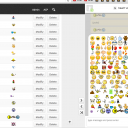
New recommended structure for smiley code is
[(smiley])
[(hi5])
[(reddrum])
[(dulcimer])
This code wont play nice with the new feature
"(smiley)"
Because the double quotes have a meaning in HTML.
screenshot_chat_smileys.png screenshot_chat_smileys.png - 1MB

updated by @michael: 12/26/16 08:03:23PM

michael
@michael
12/26/16 01:12:03AM
7,832 posts

possible jrTag cloud issue


Using Jamroom

There are some javascript options you can play with, edit the javascript direct via the Template Editor in the /modules/jrTags/templates/tag_cloud.tpl

This is the location of the source code with its instructions.
https://github.com/lucaong/jQCloud

Docs: "Using the Template Editor"
https://www.jamroom.net/the-jamroom-network/documentation/jamroom-admin-handbook/3183/using-the-template-editor

maybe with some tweaks you can find a better flow that fits your system more.

Perhaps play with the WEIGHT and the size of the tags. Seams like as the tags become more important, they grow, since they have grown, they are too big to show, so they are omitted. If they didnt grow as big they would still be visible.

have a play.
michael
@michael
12/26/16 12:03:24AM
7,832 posts

Text Over Image


Design and Skin Customization

not exactly sure what the question is, it sounds like you want an image as a background image then some text overlaid on top of it.

There are many ways to do it with CSS. One is to have a DIV with a background property of an image.
Another is to put a normal image into a div and position the div relatively then add text and position that text by absolute.

If you can put together a screenshot of what you want to achieve and paste it here, I can help work out some code to get it working.

here's a link that looks relevant:
https://css-tricks.com/text-blocks-over-image/
michael
@michael
12/25/16 12:17:43PM
7,832 posts

notifications of new blog posts by those you are following?


Ning To Jamroom

Your could create an RSS of new blog posts and your members could subscribe to that with their email clients.
michael
@michael
12/24/16 04:27:28PM
7,832 posts

making alt tags required in posts and galleries


Design and Skin Customization

Since you can upload a lot of photos in one there is no way to put a required field into that interface. You could restrict users to only uploading one image at a time, but that would be annoying to uploaders.

You could use the alt tag as the name of the image, but its very normal to name images 1.jpg 2.jpg so they are useless alt tags.

The best way I can think of is to add a custom form field for the alt tags, make it required and then only display images that have that field filled in when you create your jrCore_list calls. so not image without an alt tag shows up.
michael
@michael
12/24/16 10:57:36AM
7,832 posts

Free Type


Using Jamroom

there is no 'free type' that i can see on that page.

--edit--
Found it, please copy paste.

Quote: [u] The following PHP extensions are required[/u] :

- MySQLi (mysql improved) extension
- GD and FreeType
- Multibyte string extension (-enable-mbstring)

its a php extension. yes it is required.
https://en.wikipedia.org/wiki/FreeType
updated by @michael: 12/24/16 11:07:43AM
michael
@michael
12/22/16 11:17:35PM
7,832 posts

Modify Audio Pro Meta.tpl for Profile Page Only


Design and Skin Customization

Each module will have a meta.tpl that will display some meta tags for that modules detail page. Currently trying to get that setup right.
michael
@michael
12/22/16 09:31:44PM
7,832 posts

Modify Audio Pro Meta.tpl for Profile Page Only


Design and Skin Customization

currently in development: better og:tags for module detail pages. If you have a suggested format for 'perfect' meta setup, post it here.
michael
@michael
12/22/16 01:41:39PM
7,832 posts

possible jrTag cloud issue


Using Jamroom

There needs to be enough space. If you have a million keywords and a tiny space.... some dont show ;)

Same with long tags, if you have "some very long tag that spans a space larger than can fit in the box" it just wont show.

Try giving your tag cloud space to fill as much room as it wants and see if the tags you're after appear.
  303