Forum Activity for @isleander

Isleander
@isleander
02/01/15 05:42:54AM
560 posts

Text Permissions


Using Jamroom

Quote:
Thanks for posting this - so just to double check before I dive in, this only happens when using the Site Builder skin? If you switch to Elastic (for example) then it saves?

Yes I get the same problem with Elastic. So this is a Core issue, not a Skin issue?

I have tried creating an alternative Admin account by cloning a quota with the saved Text Permissions and Transferring my existing Admin account to that new quota but the Permissions are still not being saved.

Thanks,
Alex
updated by @isleander: 02/01/15 06:01:08AM
Isleander
@isleander
01/30/15 05:31:11AM
560 posts

Text Permissions


Using Jamroom

Yes this is the problem... I have made a small video here > > Text Permissions

As you will see, the permissions are not being saved in the quota.

I also have a member (example) quota. I can save any options in that quota, but not in the Admin quota which I created.
Isleander
@isleander
01/20/15 03:00:57AM
560 posts

Text Permissions


Using Jamroom

I created a second user quota.
The main user quota I copied and designated for myself as Admin, the second quota for general users.
The text permissions that I added are saved in the general user quota, but not the Admin quota.
When I attempt to add them to the Admin quota they are returned to the default permissions each time I view the Admin quota.
I think there must be a cliche there somehow.

Thank you,
Alex
Isleander
@isleander
01/19/15 08:41:30AM
560 posts

Text Permissions


Using Jamroom

OK Thank you.
Isleander
@isleander
01/19/15 08:34:58AM
560 posts

Text Permissions


Using Jamroom

They appear to, but when I return to the Global Quota for the Text Permissions, they have returned to default.
On the Ninja Skin, they remain as I saved them. But not on the Site Builder Skin.
Isleander
@isleander
01/19/15 07:42:24AM
560 posts

Text Permissions


Using Jamroom

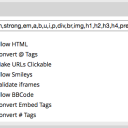
Text Permissions are not being saved with the Site Builder skin.

Any advice?

Thank you.
Screen Shot 2015-01-19 at 15.37.40.png Screen Shot 2015-01-19 at 15.37.40.png - 38KB

updated by @isleander: 12/22/16 11:55:59AM
Isleander
@isleander
01/18/15 10:18:17AM
560 posts

iFrame and Tables


Ning To Jamroom

Sorted it.. I had to use "www.youtube.com" not "http://youtube.com"
Isleander
@isleander
01/18/15 10:14:44AM
560 posts

iFrame and Tables


Ning To Jamroom

With validation on - I get the massage "This iFrame is not allowed". Even though I have YouTube (iFrame source) as a permitted domain.
With it off - the code is not saved.
So not sure exactly where to go with this.
Isleander
@isleander
01/18/15 09:52:46AM
560 posts

iFrame and Tables


Ning To Jamroom

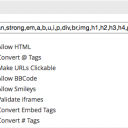
No, but I have now. Not sure if it has something to do with the Validation?
Screen Shot 2015-01-18 at 17.52.27.png Screen Shot 2015-01-18 at 17.52.27.png - 41KB

updated by @isleander: 01/18/15 09:54:19AM
Isleander
@isleander
01/18/15 09:44:52AM
560 posts

iFrame and Tables


Ning To Jamroom

@claygordon

Quote:
You need to add iframe to the list of allowed HTML

Thanks - Yes I have done all of that, but it still does save the code. Not sure what else I need to do?
  36