Support Question: CRI ERROR
Installation and Configuration
douglas:Go to your ACP > Marketplace > Tools > Reload Modules And Skins and reload the Profile module, then run the integrity check tool and clear your caches and see if that fixes it.
OK, but will doing that override the changes made to the site?
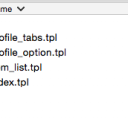
My thought is this ... does the template actually exist in the build or was it somehow overlooked?
I have the new Ningja skin. Is there a way of checking this out before I reload?
Thanks
updated by @isleander: 11/14/14 08:52:52AM