Forum Activity for @paul

paul
@paul
03/06/16 01:33:35AM
4,335 posts

When a member dies...and their private messages?


Using Jamroom

Its really up to you how you handle this, but personally, I'd suggest that unless there was a very good reason, his private messages ought to stay private, so to achieve that, clone his quota to a 'Memorialised Quota', disable the PrivateNote module for that quota, then move him to it. You would also then have the option of testing for the quota in the profile templates and adding 'Memorialised' next to his name, say.
I'd also set his profile to one of the 'followers only' options and certainly set the 'approve followers' option. I wouldn't give his user account to anyone (unless there was a very good reason, of course) and I'd even consider deleting it, leaving the profile owned by master admin (you), but if not, certainly change his password, just in case anyone else has it.
hth
paul
@paul
03/05/16 12:56:24PM
4,335 posts

Cannot export User CSV file...


Using Jamroom

Just to be clear, are you exporting users or profiles?
100 'users' shouldn't be an issue but 43000 profiles could well give memory problems.
paul
@paul
03/05/16 05:07:28AM
4,335 posts

Cannot export User CSV file...


Using Jamroom

The error says it all - your server is running out of memory when trying to process them all into a csv file.
How many profiles do you have?
paul
@paul
03/04/16 11:29:15AM
4,335 posts

4.0 to 5.0 conversion kit


Suggestions

Unfortunately not. Jamroom5 was a total rebuild, from te ground up, and is completely different to Jamroom4. Nothing is compatible.
If its any consolation, modules are a lot quicker and easier to build with JR5 than they ever were with JR4.
Thanks
paul
@paul
03/04/16 04:55:57AM
4,335 posts

Hide download button for a particular quota


Installation and Configuration

Its basically what Michael said, but there is a bit of 'reverse logic' going on in that setting.
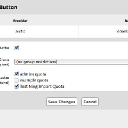
See my screenshot.
Basically, if you want the download button not to show to a particular quota(s) you need to set all the quotas it does show to. So looking at my screenshot, see that the download button shows to users in the 'admins' and 'ning' quotas but not the 'example quota.
Also note that any group settings will take priority so disable those, as I have done.
hth
Screen Shot 2016-03-04 at 12.51.22.jpg Screen Shot 2016-03-04 at 12.51.22.jpg - 30KB

updated by @paul: 03/04/16 04:57:09AM
paul
@paul
03/04/16 02:33:38AM
4,335 posts

Delete multiple blog posts


Using Jamroom

OK, so if they are spam they have all likely been created by the same few profiles? If so, just delete those or disable those profiles.
paul
@paul
03/04/16 02:16:39AM
4,335 posts

Group Members problem


Using Jamroom

Hi Dave - Have fixed this up.

In the Group module smarty variables, the array name for all the group members changed from 'group_members' to 'group_member' and this was reflected to the default templates when the updated module was released. This was when we changed the way groups stored their members so as to allow the Recycle Bin to work with them.
You have a custom jrGroup_item_detail.tpl template in your skin so I've reflected that change there on both your live and test sites (line 109 of the template file).

Cheers
Paul
paul
@paul
03/04/16 01:37:11AM
4,335 posts

Group Members problem


Using Jamroom

Hi Dave
Can I get into your site, as admin, to see this happening and work out what the issue is?
Thanks
paul
@paul
03/03/16 12:39:33PM
4,335 posts

Delete multiple blog posts


Using Jamroom

There is nothing in Jamroom specifically to do this. How many do you need to delete? Do they all belong to one profile that has no other content? If so, you could just delete the profile and that will delete all his blogs as well.
It could be done with phpmyadmin but its not straightforward and would leave behind any blog images on the disk.
paul
@paul
03/03/16 12:21:45PM
4,335 posts

Two Nings combine into one JR site?


Installation and Configuration

Oh - So you can also get a memberdata.csv file from Ning2 sites? Sorry - Didn't realise.

Would probably need to customise the NingImport member import code a bit to check for duplicate profiles. I think we would have to work to the following flow chart -

Import Ning archive 1 members and all content

Import Ning archive 2 members with the following checks -
1) If a member email address matches one already imported, assume its the same member and change his Ning ID to that of Ning archive 2 so that subsequent content can be correctly allocated.
2) If member names are the same but email addresses different rename 'member name' to 'member name2' and assume its someone different.

Import Ning archive 2 content.
  229