Forum Activity for @blindmime

blindmime
@blindmime
03/15/15 10:08:22PM
776 posts

Date drop down showing date when not entered


Design and Skin Customization

This aparna-generated module seems to be doing odd things. I've been testing on a newly generated module. Created a date field with the form designer. Created a couple test items. Then deleted the date field in the form designer and added the code above in index.php. The date still defaults to the current date. But also if I then delete the above code from index.php, after having deleted the field from form designer, it still shows up in form designer. I tried adding the above code in index.php giving it a datatime type and it shows up in the form designer along with the other one, so there's TWO fields now called the same thing.

I just want a date field that doesn't require a value until I actually give it a value.
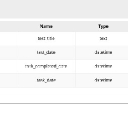
screenshot_249.jpg screenshot_249.jpg - 48KB

updated by @blindmime: 03/15/15 10:08:56PM
blindmime
@blindmime
03/15/15 09:35:22PM
776 posts

Date drop down showing date when not entered


Design and Skin Customization

I'll give that a shot, but the issue with having the date default and actually ENTER the current date means that the current date is entered regardless of whether you want to actually enter a date or not. There are many cases you do not want to enter a date. Such as when the date is a completion date, or when you don't yet know the date for whatever reason. Many other cases.
blindmime
@blindmime
03/10/15 02:19:17PM
776 posts

Date drop down showing date when not entered


Design and Skin Customization

I'm not just testing, it's a live system. Can you please tell me what happens when I delete the form field from the form designer and put this code in index.php? I'm guessing the data is not deleted, but want to be sure of what happens. It sounds from your comment above that something might happen though.
blindmime
@blindmime
03/10/15 07:53:57AM
776 posts

Date drop down showing date when not entered


Design and Skin Customization

It's not working. I pasted the above and nothing happens. Nothing in help either.

Do I need to delete the field out of the form designer or something like that? It seems like something is overwriting the index.php entry.
updated by @blindmime: 03/10/15 07:58:14AM
blindmime
@blindmime
03/09/15 02:21:36PM
776 posts

Date drop down showing date when not entered


Design and Skin Customization

I've done it with and without a type of 'date'. Doesn't seem to do anything either way.

I've tried changing the value of a different 'text' type field, just to see, and that does work.
blindmime
@blindmime
03/09/15 01:37:28PM
776 posts

Date drop down showing date when not entered


Design and Skin Customization

Yes, 5.2.27

This is what I have right now in the update section of the module's index.php:

 // Task Completed Date
    $_tmp = array(
        'name'      => 'task_completed_date',
	 'label'     => 10653,
        'value' => false
    );
    jrCore_form_field_create($_tmp);
blindmime
@blindmime
03/09/15 08:38:55AM
776 posts

moving data from one module to another


Design and Skin Customization

Can I pay someone to show me how to do this?
blindmime
@blindmime
03/09/15 08:31:30AM
776 posts

multiple image uploads on image form field


Using Jamroom

No doubt it's something I'm doing. I'll send over the module.
blindmime
@blindmime
03/09/15 08:30:06AM
776 posts

Date drop down showing date when not entered


Design and Skin Customization

It doesn't seem to be doing anything at all.
blindmime
@blindmime
03/06/15 01:28:13AM
776 posts

Date drop down showing date when not entered


Design and Skin Customization

Seeing a date in the field when nothing has been entered has always been confusing to me. I naturally think it's a value that's been entered. Now I have a client complaining of the same thing.
  40