Forum Activity for @michael

michael
@michael
06/19/16 06:03:38PM
7,839 posts

Jamroom Facebook/Twitter Campaign


Announcements

jimmyk:.....Good luck! If you need any help, just let me know....
cut+paste composite of what the interface of the jamroom Advertising module would look like for the admin/purchasing user. ;)

Having trouble imagining how it should look. Thinking the concept is, site owner turns on the module and adverts start coming in from a central server of people wanting to buy ads anywhere on the jamroom install network. These are then over-ridden if there are any local ads sold on the specific site. Close?
michael
@michael
06/19/16 05:48:05PM
7,839 posts

Testing the Wall Widget


Using Jamroom

The template code isn't going to help you any because each module produces their own variable names. You can take the outputted HTML directly from the site and use that in structuring your module.
michael
@michael
06/19/16 05:33:15PM
7,839 posts

jrCore_format_string :: issues


Jamroom Developers

yep the issue is probably truncate. Truncate just cuts the string off at 170 characters no matter what.

<a href="https://www.jamroom.net/the-jamroom-network/forum/new_posts/41144/jrcore-format-string-issues">The link to this page</a>

If you're thinking that the 170 characters is just the text inside the href, better think again, its everything. So cutting it off is always a bad idea in my mind.

As for the jrCore_format_string issue

Docs: "{jrCore_format_string}"
https://www.jamroom.net/the-jamroom-network/documentation/development/1437/jrcore-format-string

The jrCore_format_string is just one of the piped converters you are applying to the variable
{$some_var|first_converter|second_converter|third_converter}

They run in order, so if the first_converter turns all @tags into html links, then the second_converter strips all html, then the second one is stripping the work the first one did.

Try truncate as the first converter then run all your stuff after that.
michael
@michael
06/19/16 01:35:42AM
7,839 posts

Extra menu level site builder?


Using Jamroom

My suggestion is if you plan on getting users from mobile devices viewing the page, dont make your menus more than 2 deep.
michael
@michael
06/19/16 01:33:30AM
7,839 posts

Meta Tags


Using Jamroom

maybe check for them with {debug} If they are defined already, then dont include your custom ones.

Docs: {debug}
https://www.jamroom.net/the-jamroom-network/documentation/development/1477/debug

Docs: Template Blocks
https://www.jamroom.net/the-jamroom-network/documentation/development/3126/template-blocks
michael
@michael
06/19/16 01:27:45AM
7,839 posts

Changing profile look


Design and Skin Customization

sure, every skin has a profile_header.tpl profile_index.tpl profile_footer.tpl

The menu is styled by the jrProfile_menu function so you can have it look like however you want it to look.

Docs: {jrProfile_menu}
https://www.jamroom.net/the-jamroom-network/documentation/development/1997/jrprofile-menu

The best place for figuring out what you can do is by looking at the existing skins and how they do it.
michael
@michael
06/18/16 12:18:04AM
7,839 posts

Modal Login


Suggestions

After the login is complete, you have options as to where to redirect to:
YOUR-SITE.com/user/admin/quota/hl=login_page#ff-login_page

ACP -> MODULES -> USERS -> USERS -> QUOTA CONFIG -> LOGIN REDIRECT
Quote:After a successful login, what location should the user be redirected to?

"profile" - User will be redirected to their Profile.

"index" - User will be redirected to the Site index page.

URL - Enter an actual URL (eg. http://www.mysite.com/post_login_page) for the user to be redirected to.
Default: profile

You could specify a url of a custom module that recorded the last page the users was on. That might even be recorded for you already on the jrCore_get_local_referrer() function.
michael
@michael
06/17/16 12:20:37AM
7,839 posts

Embed Local Media in TinyMCE not working in Chrome on iOS


Using Jamroom

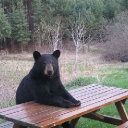
Try again now with .jpeg, should be working now.
bear_picknic.jpeg bear_picknic.jpeg - 56KB
michael
@michael
06/16/16 09:46:14PM
7,839 posts

Changing or adding templates sitebuilder


Design and Skin Customization

a checkbox will store an "off" or "on" value. So if you stored it on 'audio_free' then
{if $audio_free == "on"}
The audio checkbox is checked.
{/if}

If you don't know what variables are available to you, then {debug}

Docs: "{debug}"
https://www.jamroom.net/the-jamroom-network/documentation/development/1477/debug
michael
@michael
06/16/16 08:39:56PM
7,839 posts

{if} statement - works in some templates not in others


Jamroom Developers

spelling mistake.

Its not the {if} statement thats not working its the condition your asking it to check does not evaluate to true.

You're asking it a question, its doing the right thing. The information you're passing it must be wrong.

You're saying that {$group_intro_video} exists and contains "52" but the if statement not firing and it not printing are both calling you a liar. ;)

throw a screenshot of the debug up here and I'll see what I see.

Oh, and check that your {degbug} is written right next to that if statement. Could be that the location of the debug call is in a different template to where you're trying to use it.
  382