Forum Activity for @michael

michael
@michael
09/03/15 08:38:22PM
7,832 posts

Icons changed on jamroom.net


Using Jamroom

Yeah, I saw that too yesterday. It fixed itself before I had a chance to clear the cache, so I ignored it.
michael
@michael
09/03/15 08:35:15PM
7,832 posts

am I missing something


Using Jamroom

Good stuff. :)
michael
@michael
09/03/15 12:03:31AM
7,832 posts

am I missing something


Using Jamroom

jamroom/user/signup is handled by the routing system.

There is a hidden file at the root level .htaccess that takes any incoming url calls and sends them to router.php which is found at:
/modules/jrCore/router.php

This doc might help understand the routing system:

"For Developers: How Jamroom works"
https://www.jamroom.net/the-jamroom-network/documentation/development/231/for-developers-how-jamroom-works-in-a-nutshell

There is no real file at the file system level at /user/signup. What it does is its being sent to and controlled by the signup function in the jrUser module.

/modules/jrUser/index.php and the function view_jrUser_signup()

This allows for over-rides without changing core modules.

If you dont like what is happening at that location you have several options to either tap into and change (via "events and listeners") or override the whole thing and take control of the url.
michael
@michael
09/01/15 01:40:51AM
7,832 posts

When we set the "display" setting in form designer, who are we displaying to?


Using Jamroom

I hear you. There's a new member to jamroom @bignet-design They just joined a couple of days ago and are a web design firm. I'm hoping you can work something out with them to get your site just how you like it.

We really need some more web design firms around to pick up this type of project. What your asking for isn't hard, but it is if you have to start from the very beginning. Lets see if they are interested. :)

If not, I'll help you get something sorted.
michael
@michael
09/01/15 01:18:11AM
7,832 posts

Member and add


Genosis

You can make any user a "Profile Admin" which will allow them to alter and create profiles on a tree, but you cant limit it to just their family.

A Profile Admin will be able to alter all profiles.

To do this:
ACP -> USER -> USER ACCOUNTS -> TOOLS -> BROWSE USER ACCOUNTS

locate the user you want to make a Profile Admin and click MODIFY.

At the bottom of the page there is a setting that only admin users can see: "user group"

Change that to "Profile Admin"
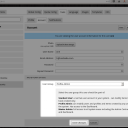
Quote:
Select the user group this user should be part of:

Standard User: a normal user account in your system - can modify items they have created only.
Profile Admin: can modify users and profiles and items created by any user on the system. Has access to the Dashboard.
Master Admin: full access to all system areas including the Admin Control Panel and Dashboard.

screenshot_profile_admin.png screenshot_profile_admin.png - 137KB
michael
@michael
09/01/15 12:53:56AM
7,832 posts

Invalid URL


Using Jamroom

Hard to understand where you are doing anything. Where is:
Quote: ....when trying to create a new site in my account under sites....

Are you talking about here on jamroom.net?

If you mean:
https://www.jamroom.net/pinchepunk/mysites

Then that is the location for you to add your created jamroom site to display it to the world. If you add a site there, it will show up in our members directory of jamroom sites. It has nothing to do with creating a site.

If you want to run jamroom, you need a place for it to run, either on your hosting or on jamroom hosting, but it needs to be hosted somewhere.
michael
@michael
09/01/15 12:49:39AM
7,832 posts

Image Galleries - Not Found


Using Jamroom

Seams like that profile doesn't have the gallery module enabled.

Go to:
ACP -> MEDIA -> IMAGE GALLERIES -> QUOTA CONFIG -> "Allowed on Profile"

and make sure it is checked for the quota that Ozan Güven is in.
michael
@michael
09/01/15 12:38:44AM
7,832 posts

Allowing members into groups


Using Jamroom

Not sure what you wanting to manage, but it sounds like the 'user config' settings is what your after.

Go to the group, then click on the "view all members" button and you will see each member has a 'user config' link under their name for the owner of the group. That gives you some control over individual users.
screenshot_user_config_1.png screenshot_user_config_1.png - 139KB
michael
@michael
09/01/15 12:32:28AM
7,832 posts

Conversions status


Jamroom Developers

conversions are added tot he queue and are processed behind the scenes, so the user will not still be on the screen when the conversion is happening.

Any error in conversion will end up in the error log for the admins to see, you could tap into that process if you wanted to setup something custom for your users.

Better would be figuring out why conversions fail and make it so they dont fail i reckon.
michael
@michael
09/01/15 12:00:38AM
7,832 posts

Linking the Events


Genosis

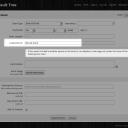
I believe that's what the "Linked Person" field is for. Type the name of the linked person in there to see options and select the correct one.

When the event is created it will be copied to the linked person's account and added as an entry by itself. So its probably best to create the sons profile before adding it as a birth event on the mum's profile.

That way it will be there for both of them.

But after you've created it, if you update the Mum profile, it will just be updated for that profile, not both.
screenshot_linked_person.png screenshot_linked_person.png - 158KB
  490