Forum Activity for @michael

michael
@michael
08/19/15 11:49:14PM
7,832 posts

Adding A Title To Home Page


Using Jamroom

How to stop it from happening depends totally on why its happening. Why its happening is probably related to the code at that point.

The output of {$page_title} is all of that? If it is, then its being set there by some other location. Have you used that {jrCore_page_title} function anywhere that would put all that stuff INTO your headers?

Seams weird that the jrFavicon stuff is getting in there twice. First thing to check is does it do the same thing when the skin is changed. If it does, then its a module issue, if not then its a skin issue.
michael
@michael
08/19/15 10:54:44PM
7,832 posts

Adding A Title To Home Page


Using Jamroom

Working for me here. That's the only thing that page title does.

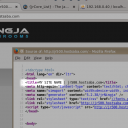
If its not working for you check your meta.tpl file to see if you've made any changes to the title section.

The default title in meta.tpl of jrNingja looks like this:
<title>{$page_title|default:"`$default_title`"|capitalize} | {$_conf.jrCore_system_name}</title>

screenshot_title.png screenshot_title.png - 73KB
michael
@michael
08/19/15 10:40:44PM
7,832 posts

Choosing a specific member's blog post to show on homepage


Using Jamroom

It wont show their blog posts if the profile is set to 'Private'. You can check that by going to the profile as the admin, then click on the settings 'gear' icon. If their 'profile active' is off, or 'profile privacy' is set to PRIVATE.

The docs for jrCore_list are here:

"{jrCore_list}"
http://www.jamroom.net/the-jamroom-network/documentation/development/89/jrcore-list

Try this code:
{jrCore_list module="jrBlog" search1="_profile_id = 98" limit="1" order_by="blog_publish_date numerical_asc"}

and the other direction is:
{jrCore_list module="jrBlog" search1="_profile_id = 98" limit="1" order_by="blog_publish_date numerical_desc"}

Those will show by the blog publish date. Or you could use the _created date if you wanted to order by the newest added to the system.

The difference is "user adds a blog set to become visible at christmas, then writes another blog post set to be published tomorrow.", the difference is when the blog is published, vs when the blog is created.
michael
@michael
08/19/15 10:31:19PM
7,832 posts

Adding A Title To Home Page


Using Jamroom

Site Builder already has this option.
SITE BUILDER -> PAGE CONFIG -> PAGE SETTINGS -> PAGE TITLE.
michael
@michael
08/19/15 10:24:31PM
7,832 posts

iphone front facing photos are rotated


Using Jamroom

My camera is one of them, it always gets the image exactly wrong. The rotation show in portrait when the camera is in landscape and vice versa. Its a little broken, I love it for that. :)
michael
@michael
08/19/15 10:22:06PM
7,832 posts

Error on profile names


Installation and Configuration

with profile names all these characters are stripped and replaced with a -
Quote:
_
"
'
(the space characer)
&
@
/
[
]
,

any profile name that begins with a - or ends with a - gets that - removed.
michael
@michael
08/19/15 09:19:15PM
7,832 posts

Notification problem


Using Jamroom

This is fixed in jrForum 1.7.0, update from the marketplace.
michael
@michael
08/19/15 05:00:56PM
7,832 posts

Notification problem


Using Jamroom

I guess I have to.

--edit--
I'll get a coffee first. :)
updated by @michael: 08/19/15 05:01:33PM
michael
@michael
08/19/15 04:38:07PM
7,832 posts

Notification problem


Using Jamroom

Try jrGroupDiscuss ver 1.1.5

There is a new setting in the Global Config page, 'Follower Notification'.
screenshot_follower_notifcation.jpg screenshot_follower_notifcation.jpg - 67KB
michael
@michael
08/18/15 08:08:18PM
7,832 posts

Forums in groups not like profile forum


Design and Skin Customization

probably just needs the module changed to the module that provides those pages.

Those module names are: jrGroupPage and jrGroup
  496