Forum Activity for @michael

michael
@michael
08/23/14 12:39:16AM
7,839 posts

Artist Pack question


Using Jamroom

All the modules will have some functionality that you dont need to do any coding to get them to work.

Just allow them to be on the users profile.

You allow them to be on the users profile by first activating the module in the ACP. (so the module is active.)

Then you go to the QUOTA CONFIG tab on that module and check the "allowed on profile" checkbox.

Thats there in case you want to have 2 groups of users. (user feature sets are called 'quotas').

Once you allow a quota to use a module then that tab will show on the users profile.

After they upload something (music, video, youtube, whatever) then that tab will show up on their profile for everyone to see.

--------
The main place where you would normally head to the templates and start coding is when you want to change the top-section of your site

The top section of your site is where you show off the stuff your users have on their profile. You dont need to do this, it depends on which skin you are using.

If you take a look at the demos:
http://www.jamroom.net/demos

You will see some of them have a lot of top-section code already in place. others are more sparse.
michael
@michael
08/23/14 12:33:22AM
7,839 posts

Search won't search within results


Installation and Configuration

as for the results: take a look here in the search for 'module'
https://www.jamroom.net/search/results/all/1/4?search_string=module

the "tagged items" should be showing more than just "tagged:punk" but i guess it depends on what it was that was tagged.

If you've tagged something that doesnt have a xxxxx_title then that title isnt going to output. The structure is there in your template, its just the {item_whatever} that doesnt seam to exit for whatever it is thats tagged there.
michael
@michael
08/23/14 12:28:11AM
7,839 posts

Search won't search within results


Installation and Configuration

ah. I see now. you've called that top div class="top_ad". Steve (guess) and I both have ad-block-plus installed because we don't like seeing ads.

Its doing its job and removing the top_ad.

If i disable it for your site, i see the links and the search.
michael
@michael
08/22/14 08:02:21PM
7,839 posts

Search won't search within results


Installation and Configuration

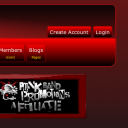
I see what steve sees.
screenshot_punkband.png screenshot_punkband.png - 17KB

updated by @michael: 08/22/14 08:02:37PM
michael
@michael
08/22/14 07:57:36PM
7,839 posts

tag clouds single for item


Design and Skin Customization

Each item has its own tags, but each item has only 1 of each tag, so every item in the cloud will be the same size.

If they're all the same size it kind of defeats the point of having a cloud.
michael
@michael
08/21/14 11:09:50PM
7,839 posts

Audio Downloads not working right


Installation and Configuration

the code you have doesnt match up with the url showing.

your code reads:
...<a href="{$jamroom_url}/{$murl}/download/audio_file/{$item._item_id}">{jrCore_icon icon="download"}</a>

But the url shows
https://www.punkbandpromotions.com/audio/download_album/4/never-mind-the-covers-from-groningen-heres-two-two-79

It should be irrelivant which skin is being used because the template comes from the audio module.

Hit 'compare' and see if it matches up with the current .tpl file.
michael
@michael
08/21/14 10:46:43PM
7,839 posts

Search won't search within results


Installation and Configuration

There is no search in the top right.
michael
@michael
08/21/14 10:44:48PM
7,839 posts

Profile Active Check Box


Design and Skin Customization

Don't think there is specifically a tool built, but you could easily do a search on them with:
{jrCore_list module="jrProfile" search1="profile_active = 0"}
for not active users. Should be that only the admin sees the results.
michael
@michael
08/21/14 10:14:57PM
7,839 posts

Audio Downloads not working right


Installation and Configuration

The link is the same for all the download buttons.

Whats the template code thats causing the button to appear?
michael
@michael
08/21/14 10:13:00PM
7,839 posts

Site is Broken - Can't log-in


Using Jamroom

Ken_Rich:TinyMCE embed tool gives me "javascript void" and does not insert anything.

Make sure you have your system up to date. That should fix this issue. If it persists, let us know the module that is not working for you.
  666