Forum Activity for @michael

michael
@michael
01/27/14 12:00:20AM
7,832 posts

Play all audio and soundcloud tracks


Design and Skin Customization

That code is playing a playlist. You would need to add the songs to the playlist for them to play in the popup player.

audio and soundcloud are different things stored in different datastores. The jrSeamless module might be able to help you get a list of all the songs in both the datastores to pass to the player.

"jrSeamless"
http://www.jamroom.net/the-jamroom-network/documentation/modules/289/jrseamless
michael
@michael
01/24/14 08:57:55PM
7,832 posts

Two Questions....


Using Jamroom

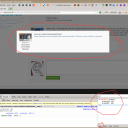
That works. I just tried it here from firebug and you dont need to add anything to the page to make it work. just that.

Here is a screenshot of it pulling steves post from above into a modal on this page here.
(screenshot)
screenshot_modal_working.png screenshot_modal_working.png - 210KB

updated by @michael: 01/24/14 08:58:11PM
michael
@michael
01/24/14 05:46:03PM
7,832 posts

Possible to upgrade from V2.9/V3 to V5?


Installation and Configuration

Album upload is real simple now.

"jamroom 5: add an album upload"
jamroom 5: add an album upload

You might like this video course to see how JR5 is working now:

"Start your own online Community"
https://www.udemy.com/start-your-own-online-community

or flick through some of the videos in our youtube channel:
https://www.youtube.com/user/jamroomdotnet
michael
@michael
01/24/14 04:58:12PM
7,832 posts

Site Images Not Showing


Installation and Configuration

second screenshot
screenshot_could_not_read.png screenshot_could_not_read.png - 126KB

updated by @michael: 01/24/14 04:58:28PM
michael
@michael
01/24/14 04:57:35PM
7,832 posts

Site Images Not Showing


Installation and Configuration

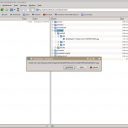
Ive seen this issue with another user on godaddy server, here is what i get when I try to download the images:
(screenshots)

Would you please contact godddy and ask them to set the server to allow it to generate images that are readable by FTP and accessable via the web.
screenshot_could_not_read2.png screenshot_could_not_read2.png - 105KB

updated by @michael: 01/24/14 04:58:02PM
michael
@michael
01/23/14 09:31:51PM
7,832 posts

Smiley's on comments


Using Jamroom

You can make the smileys come up by changing this line in:
/modules/jrAction/templates/item_list.tpl

from:
{$item.action_text|jrCore_convert_at_tags|jrAction_convert_hash_tags}
to:
{$item.action_text|jrCore_convert_at_tags|jrAction_convert_hash_tags|jrCore_format_string:$item.profile_quota_id}
by over-riding it. standard override system......

"Altering A Module's Template"
https://www.jamroom.net/the-jamroom-network/documentation/development/1051/altering-a-modules-template
michael
@michael
01/23/14 09:16:37PM
7,832 posts

Two Questions....


Using Jamroom

1. right click on one and choose to view background image. eg:
https://www.jamroom.net/data/media/0/0/jrForest_sprite_30.png

Then look for the file name in the css file to find the mapping of .css-class-name to the image location.

2. no idea without looking at it or more information.
michael
@michael
01/23/14 09:09:53PM
7,832 posts

Foxycart Error


Using Jamroom

something is not setup correctly. check your settings.
michael
@michael
01/23/14 08:02:53PM
7,832 posts

Download Unsuccessful


Using Jamroom

If it works on a pc, that points to the problem being some setting on the device.
  739