Some Suggestions on JR module's update method/approach
Using Jamroom
pch:
Hello guyz,
ISSUE:
There is a discussion that started here:
https://www.jamroom.net/the-jamroom-network/forum/installation-and-configuration/61695/403-forbidden-error-after-server-migration after having some issues with my server migration:
I think it requires some attention. That's why I've decided to create a separate thread.
There is this question that always bothers me: Why does JR keep old module files/folders on the server after a module update/upgrade????
Example:
/jrCore-release-6.1.1
/jrCore-release-6.1.3
/jrCore-release-6.1.2
/jrCore-release-6.1.4
/jrCore-release-6.1.5
to ...
/jrCore-release-6.3.0b1
/jrCore-release-6.3.0b2
/jrCore-release-6.3.0b3
/jrCore-release-6.3.0b4
etc.
Same with all the other modules: jrAction, jrAudio, jrBackup etc.
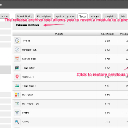
Its for the RELEASE ARCHIVE tool, so you can revert to a previous version.
What you did manually by renaming the directories, there's a tool for that.
ACP -> MODULES -> TOOLS -> DEVELOPER TOOLS -> TOOLS -> REBASE MODULES
It takes:
/jrCore-release-6.1.5
and changes it to
/jrCore
and deletes all the other versions.
updated by @michael: 08/08/19 08:42:42PM