Forum Activity for @michael

michael
@michael
12/08/17 06:38:59PM
7,826 posts

Install from version 4 backup and then upgrade to newest version


Installation and Configuration

No problem by us you helping others out, feel free. :)

No you don't need to go to 5 before going to 6.
michael
@michael
12/08/17 06:37:03PM
7,826 posts

Trial Pro Install Failed


Installation and Configuration

if you have to add /install.php then either you've not copied over the hidden .htaccess file or your server doesn't support mod_rewrite.

Hopefully is the first because that's easiest to fix. Good to see you back again, I remember you icon from wayback. :)
michael
@michael
12/08/17 11:54:56AM
7,826 posts

Add Attending Button To Profile


Design and Skin Customization

Nice one. Make it your own! :)

If you want the changes that are being released, its these:
 .event_attend_button {
-    background: rgba(0, 0, 0, 0) none repeat scroll 0 0;
-    border: 1px solid rgba(255, 255, 255, 0.4);
-    border-radius: 5px;
-    color: white;
-    padding: 8px 10px;
+    font-family: 'Nunito Sans', 'Helvetica Neue', Helvetica, Arial, sans-serif;
+    background: #FFFFFF linear-gradient(#FFFFFF, #EEEEEE) repeat scroll 0 0;
+    border: 1px solid #CCCCCC;
+    border-radius: 2px;
+    box-shadow: none;
+    color: #555555;
+    padding: 3px 5px;
 }
michael
@michael
12/08/17 11:38:56AM
7,826 posts

Add Attending Button To Profile


Design and Skin Customization

This has been fixed in the next version of jrElastic2 ver 2.0.4
michael
@michael
12/06/17 04:45:31PM
7,826 posts

Newsletter - Delete Options


Using Jamroom

You can delete anything you like, you have full control over your system... BUT! Newsletters get sent via email, so even if you delete it from your system they will still have a copy of the email.
michael
@michael
12/06/17 12:43:26PM
7,826 posts

Quiz Module


Jamroom Developers

Might want to ask Ultrajam about that one in their forum.

https://www.jamroom.net/ultrajam/forum

Stevex has done a lot of work in the learning space area. Might have a Quiz module or something similar.
updated by @michael: 12/06/17 12:43:49PM
michael
@michael
12/04/17 11:46:32PM
7,826 posts

Flattening ACP Style Overrides during a Skin Clone


Jamroom Developers

That should be it. Clone, reset caches, run integrity check.

If something gets stuck, maybe manually reset the caches.
https://www.jamroom.net/the-jamroom-network/documentation/troubleshooting/114/somethings-wrong-what-do-i-do#manually-clearing-caches

The rest should be ready to go I'd expect.
michael
@michael
12/04/17 07:46:03PM
7,826 posts

Flattening ACP Style Overrides during a Skin Clone


Jamroom Developers

whats the delta update functionality?

Yeah, that's one of the downsides of inheriting a project. If you'd done it from the beginning no doubt all changes would have been made in the file system from start.

Sorry for not having a more convienient way to move from one update style to the other. good side: only have to do it once :)
michael
@michael
12/04/17 06:47:33PM
7,826 posts

Flattening ACP Style Overrides during a Skin Clone


Jamroom Developers

yeah, the STYLE tab info just gets copied over to the STYLE tab of the new skin, not flattened to the file system.

So best option.
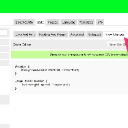
* Copy all the css from the VIEW CHANGES tab.
* paste it into /skins/YOUR-SKIN/css/overrides.css (a new file you create)
* open /skins/YOUR-SKIN/include.php and add
    jrCore_register_module_feature('jrCore', 'css', 'xxYourSkin', 'overrides.css');
to the BOTTOM of all the other .css files registered there so it gets added last to the compiled css file.

* Upload that and reset the sites caches.

Not perfect, but beats adjusting the existing CSS files one by one with each change. Then just go forward with the file system option going forward.

(Not a great fan of the STYLE tab, but it does make it easier for those unfamiliar with web techniques to do basic adjustments so its necessary)
view_changes.jpg view_changes.jpg - 86KB
michael
@michael
12/04/17 06:26:32PM
7,826 posts

Flattening ACP Style Overrides during a Skin Clone


Jamroom Developers

TiG:.....Unfortunately to accomplish this it seems I must manually apply every ACP style override into the cloned skin's css files....

OR..... you could take that all the CSS from the custom read-only tab and put it inot a file that loads after the generated one, then the same overrides would be applied as exist now, but just in the filesystem.

Been a long time since I looked at this area, will setup now to see what is happening, then come back with any other ideas that may work.
  169