Forum Activity for @michael

michael
@michael
11/25/17 09:43:10PM
7,826 posts

Contact Module


Jamroom Developers

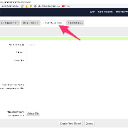
The Simple Custom Form module will allow visitors to your site to send a message TO YOU.

The "Support Tickets" module allows you to send an email:

Docs: "Support Tickets"
https://www.jamroom.net/the-jamroom-network/documentation/modules/2046/support-tickets

All the data is store in a datastore, so if you want to send something programmatically, you can do that too.

If you're looking for a module that allows non-admin users to send emails from your server, that module doesn't exist and would need to be made if you wanted to, but it seems like it would be a spam tool.
create_ticket.jpg create_ticket.jpg - 83KB

updated by @michael: 11/25/17 09:43:36PM
michael
@michael
11/24/17 03:57:53PM
7,826 posts

Embed Media Player in External Site


Jamroom Developers

The url for streaming will be:
site.com/uploaded_audio/stream/audio_file/(the item_id here)/key=1/file.mp3

And if the site requesting that url is in the ALLOWED DOMAINS it will stream, otherwise not.
michael
@michael
11/24/17 01:05:15AM
7,826 posts

Embed Media Player in External Site


Jamroom Developers

first thought would be an iframbable player constructed on your site, but that wouldn't allow for the which external sites are allowed to part, so instead, I would look at putting the code for the player in an external site, then use the stream url from your site and then you can use the
ACP -> MODULES -> CORE -> SYSTEM CORE -> GLOBAL CONFIG -> GENERAL -> ALLOWED DOMAINS

To do the restricting.,
restricting.jpg restricting.jpg - 126KB
michael
@michael
11/24/17 01:01:51AM
7,826 posts

Duplicates and 'follow_unique' in jrdiscussion_follow_topic


Jamroom Developers

threaded (anything) isn't highly used.
michael
@michael
11/23/17 11:47:03PM
7,826 posts

db system backup error Invalid AWS setting - unable to store test file to S3


Using Jamroom

Its something about "US East (Ohio)" that's the problem. Try "Asia Pacific (Tokyo)", it works for me.

I found that the same AWS Access Key and Secret, but a different region for the bucket caused that error message to show or not show.
michael
@michael
11/23/17 10:26:24PM
7,826 posts

db system backup error Invalid AWS setting - unable to store test file to S3


Using Jamroom

The error I'm seeing come back during test connection is:
The authorization mechanism you have provided is not supported. Please use AWS4-HMAC-SHA256.

at first glance it appears to mean there has been an upgrade of their S3.php script. doing some testing now.
michael
@michael
11/22/17 04:13:58PM
7,826 posts

db system backup error Invalid AWS setting - unable to store test file to S3


Using Jamroom

If you want to send your amazon keys to support at jamroom I can try them on my site, see what results I get.

But then would recommend generating new keys because those keys wont be secret anymore.
michael
@michael
11/22/17 12:59:51AM
7,826 posts

db system backup error Invalid AWS setting - unable to store test file to S3


Using Jamroom

my settings look like this, seems to be working on my site. Not sure what the error is for you, hard to say.

--edit--
what action are you taking that triggers the error?
bucket.jpg bucket.jpg - 58KB

updated by @michael: 11/22/17 01:00:12AM
michael
@michael
11/21/17 07:40:13PM
7,826 posts

db system backup error Invalid AWS setting - unable to store test file to S3


Using Jamroom

make sure your S3 Access Key and Access Secret Key are set correct for the S3 bucket.

The error happens when jamroom tries to verify that it can write to the S3 bucket.

The full message should be:
Invalid AWS setting - unable to store test file to S3/(the bucket name here)
michael
@michael
11/20/17 04:35:11PM
7,826 posts

Duplicates and 'follow_unique' in jrdiscussion_follow_topic


Jamroom Developers

you can use the ACP -> MODULES -> DEVELOPER -> DEVELOPER TOOLS -> TOOLS -> DATABASE ADMIN to open adminer and export just the tables you're interested in, then import them into your development site.

otherwise paul should be back around later on in the day.
  171