Forum Activity for @michael

michael
@michael
08/11/17 11:07:53PM
7,826 posts

Jamroom.net Forum signature change is not saved


Using Jamroom

caching. I'll go look for where needs an extra clear cache call.

Thanks steve.
michael
@michael
08/11/17 11:05:34PM
7,826 posts

Page Break Not Functioning


Installation and Configuration

^^ do what @ultrajam said for the page break issue.

You've got a couple of concepts mixed up in that code, clarifying:
{jrCore_list module="jrAudio" template="jrAudio_item_list.tpl" .....}

What you're asking for there is an audio list, which is fine, but you're specifying the template of the default over-ride.

If you JUST put this
{jrCore_list module="jrAudio"}
The template used for layout would be the default template which is:
/modules/jrAudio/templates/item_list.tpl

If you want to override item_list.tpl for the audio file, you copy that file to your skin at:
/skins/( YOUR SKIN )/jrAudio_item_list.tpl

and it will automatically override the default template with your skins template.

So in the code above, you dont need to have that template="" in there at all.

The time when you would want to use that tempate="" is when you don't want to override ALL the lists everywhere, but just want some different layout for one particular list, then you'd put in a template to use:
{jrCore_list module="jrAudio" template="my_special_audio_list.tpl" .....}

Just pointing that out. :)
michael
@michael
08/11/17 10:44:21PM
7,826 posts

Mailer error message


Ning To Jamroom

Send me your login info to support at jamroom dot net along with:
* a link to this thread
* your sites admin login details

and I'll login and take a look. Should be using 2.3.0 if its available.
michael
@michael
08/11/17 06:25:59AM
7,826 posts

Mailer error message


Ning To Jamroom

an integrity check should fix that. maybe check there are no updates in the marketplace too.
michael
@michael
08/11/17 05:23:01AM
7,826 posts

Help: Jamroom installation not responding to clicks


Installation and Configuration

cloudflair.

Its often the cause of issue. What it does is caches your site, but jamroom already has a cache, so it ends up just screwing up the javascript system.

Turn off cloudflare and try again
michael
@michael
08/10/17 09:58:11PM
7,826 posts

Custom Search Button


Design and Skin Customization

Docs: "Search"
https://www.jamroom.net/the-jamroom-network/documentation/modules/950/search#jrsearch-form

Use the template="" instead.

So
{jrSearch_form template="my_search_template.tpl"}

Then in your skin, add the template file. ( call it whatever you like )
/skins/( YOUR SKIN )/my_search_template.tpl

copy the default template from modules/jrSearch/templates/html_search_form.tpl which looks like this:
{* Standard HTML search form *}

{jrCore_lang module="jrSearch" id="7" default="Search" assign="st"}

{assign var="form_name" value="jrSearch"}
<div style="white-space:nowrap">
    <form action="{$jamroom_url}/search/results/{$jrSearch.module}/{$jrSearch.page}/{$jrSearch.pagebreak}" method="{$jrSearch.method}" style="margin-bottom:0">
    <input id="search_input" type="text" name="search_string" style="{$jrSearch.style}" class="{$jrSearch.class}" placeholder="{$jrSearch.value|jrCore_entity_string}">&nbsp;<input type="submit" class="form_button" value="{$st}">
    </form>
</div>
into your my_search_template.tpl file, then you can adjust things directly.
michael
@michael
08/10/17 09:23:59PM
7,826 posts

Ninja Skin: Video template misconfigures in Site Builder


Ning To Jamroom

This is fixed in jrNinja ver 2.0.6. For your site, update your code in the LATEST VIDEO content to this
{if isset($item.seamless_module_name) && $item.seamless_module_name == 'jrVideo'}
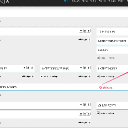
see screenshots
step1.jpg step1.jpg - 317KB
michael
@michael
08/10/17 08:18:36PM
7,826 posts

Custom Search Button


Design and Skin Customization

too vague.

It will be in the same template you modified the search bar in.
michael
@michael
08/10/17 06:11:18PM
7,826 posts

audio_mood


Installation and Configuration

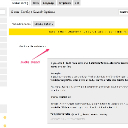
You can add Additional Search Fields at:
ACP -> MODULES -> LISTING -> GLOBAL CONFIG -> ADDITIONAL SEARCH FIELDS

add audio_mood there.

Docs: "Search"
https://www.jamroom.net/the-jamroom-network/documentation/modules/950/search
search_field.jpg search_field.jpg - 324KB
  198