Forum Activity for @ultrajam

SteveX
@ultrajam
05/11/14 08:05:33AM
2,589 posts

Jamroom needs simpler css


Using Jamroom

You mean this in the screenshot? It clearly shows that the text is #ccc.

Do you need to empty your browser cache?
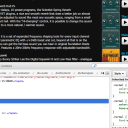
dubmusic-working-fine.png dubmusic-working-fine.png - 239KB

updated by @ultrajam: 05/11/14 08:05:54AM
SteveX
@ultrajam
05/11/14 06:37:31AM
2,589 posts

Jamroom needs simpler css


Using Jamroom

So right click on the text you want to change the color of, that will tell you that it uses the class "normal"

Then go to your skin styles, select core_text from the select menu, then change the font color for "Normal"

It's incredible that you find this stuff so hard.
updated by @ultrajam: 05/11/14 06:38:02AM
SteveX
@ultrajam
05/11/14 04:47:53AM
2,589 posts

Stats for site visits


Design and Skin Customization

Try using {debug} to see what is available in your template.

If you dont see what you need, jrCore_get_count and jrCore_counter are the two functions to look at in the docs.
SteveX
@ultrajam
05/10/14 06:20:01PM
2,589 posts

background color


Using Jamroom

You are very confused aren't you.

If your database is getting "stuck" in some way (which seems to be what you might be saying in some weird round-about way), delete the table as shown above. If you can't do that, ask a friend or adult to help.
SteveX
@ultrajam
05/10/14 12:35:11PM
2,589 posts

can i add a page to a module?


Using Jamroom

You'd just check the $_post as normal.

So you could use
if ($_post['month'] == "April") {
// do this...
// your code here:
}

Or check for $_post['_1'], $_post['_2'] etc.

Check out the docs on reading the post if you havent read them already:
https://www.jamroom.net/ultrajam/documentation/code/1683/reading-the-post
SteveX
@ultrajam
05/10/14 11:58:38AM
2,589 posts

Stats for site visits


Design and Skin Customization

Your skin (whichever it is) is taking care of displaying your stats to the site visitor. So look through your skin for the relevant smarty, css, html and php relating to stats.

In Nova skin config you have Show Stats which switches showing of stats on and off.

All stats registered by modules are available in the skin template in the $_stats variable, Nova reaches that using {foreach $_stats as $title => $_stat} so each stat is listed in a span with $title and $count.

In jrNova stats are output using a capture assign (from index.tpl):
{* SITE STATS *}
    {if isset($_conf.jrNova_show_stats) && $_conf.jrNova_show_stats == 'on'}
        <div class="row">
            <div class="col12 last">
                <div class="inner">
                    <div class="inner leader">
                        <span class="capital">{jrCore_lang  skin=$_conf.jrCore_active_skin id="42" default="stats"}</span> -
                        {capture name="template" assign="stats_tpl"}
                            {literal}
                                {foreach $_stats as $title => $_stat}
                                <span class="media_title">• {$title}: {$_stat.count}</span>
                                {/foreach}
                            {/literal}
                        {/capture}
                        {jrCore_stats template=$stats_tpl}
                    </div>
                </div>
            </div>
        </div>
    {/if}
It is also used in profile_header.tpl to display the profile stats (the code smarty html and css are a little different)

Modules each register their stats with the core so the stat appears in the template..
For example, from jrPlaylist_init in include.php:
    // Profile Stats
    jrCore_register_module_feature('jrProfile', 'profile_stats', 'jrPlaylist', 'profile_jrPlaylist_item_count', 21);
That gets the stat into the skin so it can be displayed.
updated by @ultrajam: 05/10/14 12:04:22PM
SteveX
@ultrajam
05/10/14 09:37:57AM
2,589 posts

background color


Using Jamroom

Nova doesnt use background images, where are you entering the image url?
SteveX
@ultrajam
05/10/14 08:24:46AM
2,589 posts

background color


Using Jamroom

What edit is it that you can do? What is that single edit?
SteveX
@ultrajam
05/10/14 03:01:19AM
2,589 posts

background color


Using Jamroom

I guess a consistent spelling mistake would produce a consistent error.

Could be simpler than that though. Are you sure you are remembering to click the save button after changing the css?
SteveX
@ultrajam
05/09/14 03:17:36PM
2,589 posts

background color


Using Jamroom

So how else is your css mistake constantly reloaded?

There must be an answer.

Are you absolutely sure your ftp app is successfully uploading your files? That has to be the first port of call.
  151