

Aparna module with audio or uploaded files that are marked required
Jamroom Developers
Quote:edit: hmmm in the Aparna module the only option I have is ADD TO CREATE FORM
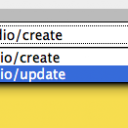
Then you are looking at the update form. On the create form it will say "add to update form"From your screenshot, click the Form Designer button, you will be on the Create form page. You should be able to jump between the forms using the select menu top right.
Switch to the Update form, then click the Modify button for the "audio file" field. At the bottom uncheck Required and save.
updated by @ultrajam: 01/31/14 09:12:26AM


