PayPal Buy It Now Button and Form Designer Question
Using Jamroom
Ceri:
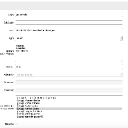
But the new field does not display on the page? ( see screenshot )
Quote: Note that is in the file/update screen - not file/create - make sure you look at the "update" form for an existing file and you should see it. Everything on your screenshot looks good.
But the new field does not display on the page? ( see screenshot )
That's correct - Jamroom is "template" based, which means you will want to ADD in and customize your template to put the content of the new field in the template.
So in your ACP -> Files -> Templates you'll want to modify the "item_detail.tpl" file and add:
{$file_description}
In where you want it to show.
Let me know if that helps.