Forum Activity for @brian

brian
@brian
01/07/19 07:00:01AM
10,154 posts

Video Poster Background Not Showing


Using Jamroom

The reason no image is showing is that there is no "poster" directive in the player. How is this being embedded? Is it an album? playlist?

Thanks!
brian
@brian
01/04/19 07:54:45AM
10,154 posts

New Install, Error 500, Can't Run Install


Installation and Configuration

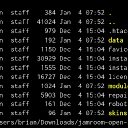
Yes - there is a .htaccess file in the installation package. My guess is the cpanel installer doesn't know how to handle it - I'd recommend using a quality SFTP client instead. Note that on your MacBook files that begin with a . are considered "hidden" so won't show. If you drop into a terminal window you will see it - see my screenshot.
download-contents.jpg download-contents.jpg - 274KB
brian
@brian
01/04/19 07:41:39AM
10,154 posts

New Install, Error 500, Can't Run Install


Installation and Configuration

natalie:What is strange is that in the package I downloaded there was no .htaccess file. See my screenshot of the decompressed zip file. Can you confirm that the contents of the file I downloaded are all in tact?

Thanks!

It's there - it's a hidden file. All files that start with a . are considered "hidden". In your FTP client make sure you've set the option to "show hidden files". Let me know if that helps.
brian
@brian
01/04/19 07:40:38AM
10,154 posts

New Install, Error 500, Can't Run Install


Installation and Configuration

OK it sounds like it had not been installed, although I am not sure why you would get a 500 error there. It should have just redirected you to the installer.

I would recommend asking your hosting provider WHY there was no logging of the 500 error in your error log - that absolutely should be logged so you can see what issue could be causing that.
brian
@brian
01/04/19 07:35:42AM
10,154 posts

Is Jamroom Branding Removed with the $299 package?


Installation and Configuration

natalie:Hello,

Can you tell me if the Jamroom branding is removed when we upgrade to the Premium Package?

Thanks!

Yes - you can remove all Jamroom branding.

Let me know if that helps.

Thanks!
brian
@brian
01/04/19 07:35:13AM
10,154 posts

New Install, Error 500, Can't Run Install


Installation and Configuration

A 500 error means that there is a web server misconfiguration - i.e. Jamroom is trying to use mod_rewrite in the .htaccess file, and your web server does not allow mod_rewrite. You should be able to see the exact error in your web server error log - look in your "logs" directory for the web server error_log - the latest entries will be at the bottom.

Let me know if that helps.
brian
@brian
12/31/18 01:19:15PM
10,154 posts

new value


Jamroom Developers

You could do this with a Core "view_results" listener that just does a straight up string replace based on the module/view - i.e.

jrCustom_view_results_listener($_data, $_user, $_conf, $_args, $event)
{
    global $_post;
    if (isset($_post['module']) && $_post['module'] == 'myCustomModule' && isset($_post['option']) && $_post['option'] == 'item_create') {
        $_data = str_replace('form_select_and_text_tag">new value', 'form_select_and_text_tag">changed value', $_data);
    }
    return $_data;
}

"item_create" would be the name of your form view function you want to change the value on. It feels like a bit of a hack but should work :)
brian
@brian
12/05/18 02:30:10PM
10,154 posts

downloaded Attached files stripped of "." from the file name


Using Jamroom

This has already been fixed in the Core 6.1.12:

- Bug Fix: Some downloaded item files may not get the correct file extension for the file type

That should be out of beta shortly.

Thanks!
brian
@brian
11/05/18 11:11:42AM
10,154 posts

profile domain queue tasks never complete new version seems to have missing db feild


Using Jamroom

soaringeagle:Unable to process your request

The system has encountered an unrecoverable error - please try again shortly

This is not an error coming from Jamroom, but from your web server. Can you check your data/logs/error_log and see if anything is written there?

Quote:i should be able to do it manually right?
delete the current version the beta 1 ..the whol folder through ssh then run integrity check to update the symlink?

Yes - just delete the current symlink and point it to the correct one, then run an integrity check.
brian
@brian
11/05/18 11:03:56AM
10,154 posts

profile domain queue tasks never complete new version seems to have missing db feild


Using Jamroom

ACP -> Marketplace -> Tools -> Release Archive -> "Restore" by the profile domains module.
  45