Suggestion for the Timeline on Main Page
Installation and Configuration
Strumelia:Thanks Douglas!
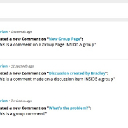
But can you clarify please?: other people seem to be talking about seeing a trashcan icon when they hover over.... but...is it that NONE of us can use a trash to delete from our main page timeline entries to delete any member's item?
For now that is
correct, but it helps to understand
why. Jamroom is "profile centered", which means that pretty much everything on the site belongs to a profile (i.e. songs, images, etc.). When you are on the "main" site pages, you're not on a profile and the items on the page usually consist of many different items from many different profiles. The core does not check every single item individually (by default) to see if the viewing user has "permission" to delete it (or modify it), which is why the delete does NOT appear on the main timeline.
So to delete it, you can just click on it and THEN once you are on the user's profile you can delete it.
You can actually override this with a custom action list template, but I'm going to guess you're not going to be spending all day deleting action entries (if you do find yourself doing that then you need to just ban the user that is causing you grief) and so it's probably not a big deal to occasionally delete one by viewing the user's timeline.
Hope this helps!