Forum Activity for @brian

brian
@brian
03/18/14 01:40:20PM
10,169 posts

Quick OneAll question


Using Jamroom

iLoveHouseMusic:Scenario - site only has "Member" quota right now. And it's the default signup quota.

If I uncheck "allowed access" to OneAll for Member Quota, that will only remove the "Networks" tab from the Account Settings, correct?

A perspective member will still be allowed to signup for the quota, using the OneAll module, correct?


Correct - until the user signs up they are not part of the "member" quota...

Hope this helps!
brian
@brian
03/18/14 10:42:24AM
10,169 posts

Check Password While User Account Creation


Jamroom Developers

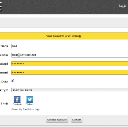
I just did it here on my local install and I am not seeing any issues - see attached screenshot.

As long as the module is active, it should work. Double check you didn't mistype anything.

Hope this helps!
Voila_Capture 2014-03-18_10-41-25_AM.jpg Voila_Capture 2014-03-18_10-41-25_AM.jpg - 127KB

updated by @brian: 03/18/14 10:42:35AM
brian
@brian
03/18/14 10:39:14AM
10,169 posts

Move from http to https


Installation and Configuration

OK check out version 1.0.6 of the Vimeo module - update, reset cache and let me know if that works - I don't actually have Vimeo setup here but it should work.

Let me know.

Thanks!
brian
@brian
03/18/14 10:29:27AM
10,169 posts

Move from http to https


Installation and Configuration

Nevermind I got it - I'll get a event listener in to the module that will change them on the fly.
updated by @brian: 03/18/14 10:29:35AM
brian
@brian
03/18/14 10:27:05AM
10,169 posts

Move from http to https


Installation and Configuration

OK checking this out and I'm not seeing that Vimeo even has SSL available for their artwork. This is the image:

http://b.vimeocdn.com/ts/106/613/106613452_640.jpg

but this loads untrusted:

https://b.vimeocdn.com/ts/106/613/106613452_640.jpg

I've been digging around to see if they maybe offer a different CDN for SSL artwork, but so far no luck. I've also noticed that if you try to load a video over SSL it redirects to non-SSL, so we may be stuck with non-SSL images for Vimeo.
brian
@brian
03/18/14 09:57:15AM
10,169 posts

Move from http to https


Installation and Configuration

Ahh - that is the $vimeo_artwork_url key form the DS. That really should be updated "on the fly" if the site is running in SSL. Let me check that out and see if I can get that fixed.
brian
@brian
03/18/14 09:33:57AM
10,169 posts

Move from http to https


Installation and Configuration

The .htaccess rule should handle any "embedded" URLs in the page (those are not what cause a browser warning). What you want to do is make sure any images/javascript in your templates are using https instead of http - otherwise those will cause the browser warning. All of the "default" JR URLs will automatically adjust to https, so make sure you have reset cache so your pages can be rebuilt, but any 3rd party JS you've manually added to a template will need to be updated in the template.

Let me know if that helps.
brian
@brian
03/18/14 09:18:54AM
10,169 posts

Move from http to https


Installation and Configuration

You've set something wrong in your .htaccess file then - you should never see URLs like that (pointing to the router). You should be able to redirect all non-SSL traffic to SSL with something like this in your .htaccess file:

RewriteCond %{HTTPS} !=on
RewriteRule ^ https://%{HTTP_HOST}%{REQUEST_URI} [L,R=301]

Let me know if that helps, or show me what you are using.
brian
@brian
03/18/14 07:06:54AM
10,169 posts

Fresh Install System Check


Jamroom Developers

That's crazy - I haven't used it in several years, but it always worked well for me. I use Yummy FTP on my Mac now and it's rock solid.
brian
@brian
03/18/14 06:47:56AM
10,169 posts

Fresh Install System Check


Jamroom Developers

I think SmartFTP is a significantly better FTP client than FileZilla - I think it is the best FTP client you can use on Windows.
  775