Forum Activity for @strumelia

Strumelia
@strumelia
10/24/15 06:17:51AM
3,605 posts

I need someone fast would can customize a theme to make a dance site


Design and Skin Customization

Doc post.... l o l !

You all seriously need some smiley schooling from Strumelia.
Strumelia
@strumelia
10/23/15 08:55:39PM
3,605 posts

Documentation suggestions


Suggestions

mattbrady:
This line helped a ton!! "the USER is the person, the PROFILE is where they put their stuff. one USER can have a number of profiles. the QUOTA is attached to the profile to define what can be put there."

That line really helped me just now too, after all these months! :)

Michael, when you say "Profile Admin // the trusted users who go round editing profiles content" -maybe good to also include?: "has access to the Dashboard but not ACP".
Strumelia
@strumelia
10/23/15 08:46:56PM
3,605 posts

Subscribe to a Forum?


Ning To Jamroom

Thanks for fixing this up, Michael and Brian. It's great to have a new button for members to 'follow' a Group and thus be notified when a new discussion is created in the group. :)

Clay- sorry to have sidetracked your original Forum question into a groups issue.
Strumelia
@strumelia
10/22/15 07:31:30PM
3,605 posts

Help with Create account page


Installation and Configuration

If you want new joiners to ONLY have the member quota to join up in:
Go to your Modules --> Users --> User Accounts --> Quota config TAB.
Checkmark the "Allow signups" box only for the Members quota, leave that checkmark box EMPTY for all other quotas including for Artist. Save change. Then new signups will not see or get any choice other than Member.
You can of course change them to a different quota later.

If you mean you still want to provide BOTH Artist and Member quota options at signup, but merely want to switch the order they appear in so that Member is at top and showing by default with Artist in the dropdown under it, then the Jamroom Team or someone more knowledgeable than me will need to tell you how. :)
updated by @strumelia: 10/22/15 07:32:58PM
Strumelia
@strumelia
10/22/15 11:04:30AM
3,605 posts

"Attach file" to posts not working


Using Jamroom

Michael, have you had time to test this out yet? Thanks!
Strumelia
@strumelia
10/22/15 11:01:54AM
3,605 posts

Subscribe to a Forum?


Ning To Jamroom

Thanks, that avatar thing is now fixed Michael.

But I'm still having my members telling me they cannot access groups they belong to, as per the messages I describe above. This is still happening, getting new complaints from various members.

I will post some details in my support ticket in about an hour, right after I do some more testing so i can give you more details you may need. Thanks!
Strumelia
@strumelia
10/21/15 07:45:35PM
3,605 posts

Subscribe to a Forum?


Ning To Jamroom

"Not sure how to recreate this or see it happening. I'll look but im not sure what im looking for."
I guess to recreate it, you'd have to log in as a regular member and then go to groups you are already a member of and see if it treats you like you aren't a member while still telling you you are a member, and refusing entry...lol.
Michael, I will go back in on my site to check on this again in the morning.

I see the new buttons, will be cool for my members once I explain. :)

But I do still have the group member avatar list not showing, as in my previous post with screenshot. Thanks!

Hey how'd you get ol' Bill to be site admin for you? hehehe
Strumelia
@strumelia
10/21/15 07:39:07PM
3,605 posts

Subscribe to a Forum?


Ning To Jamroom

Sorry- was out for a bit. To see the issue, you may need to be logged in as a regular member maybe? But the issue is not happening for me now, so I'll have to wait to see if other members still have the problem tomorrow. Most of us have all gone to bed now.

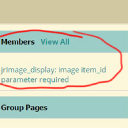
BUT- I do still have this problem with the group members not showing in the members' module of all group main pages, like this:
group-problem2.jpg group-problem2.jpg - 97KB

updated by @strumelia: 10/21/15 07:39:40PM
Strumelia
@strumelia
10/21/15 02:04:12PM
3,605 posts

Subscribe to a Forum?


Ning To Jamroom

OK yes I am having problems with this new group follow update.
I experienced this myself, but now I have other members reporting this problem since the update. Here is the message from members:

"This morning all was good. This afternoon, every group I looked at that I'm a member of has a "Join This Group To Follow Discussions" button. When I try to see postings I see only the initial post. When I click the "Join..." button, it tells me I'm already a member; but I still can't see any posts..."
and
"I have tried to get to the discussions of topic's of groups I am a member of and it just doesn't work.
It says that I need to join the group "Help me learn a song", when I click on join tab, it still will not let me into discussions. I don't know what is wrong and what I need to do."

My members are going to panic soon. =8-o They are obviously going to groups they are members of but are being seen by the system as NOT being a member yet, so they cant' get to the discussions...but clicking on JOIN just tells them they are already a member. So they can't get in.

I've done 3 integrity checks and cleared cache and icons several times.
I'm telling them to clear their browser cache and log out and then back in, but I don't know if that will help the situation- and I can't really expect my several thousand members to see my advice and do that....

The problem went away for me, but I'm not sure how it went away...maybe after I cleared my browser cache? I don't know what to do right now.

Help please...
updated by @strumelia: 10/21/15 02:05:50PM
Strumelia
@strumelia
10/21/15 01:57:07PM
3,605 posts

TIP: group 'join' button tweak


Ning To Jamroom

You can have a completely Private Group where non-members will see NOTHING aside from the group's avatar to know it exists. and you can set it to be join-able by anyone, OR require approval/invitation before allowing someone to join. I use one as a moderator group where we can privately discuss site issues and problem members.

I believe the default for Groups is that non group members can go to a group's main page and see the titeles of the discussions there, but not be able to see any replies or post themselves. They will also not see the group's Comment Wall. When they join they will see all and be able to post.

It will be extremely useful for you to create a 'test member' profile in your regular member Quota...with their own profile name, password, and email address. When you log OUT of your site and then log in as them, you will then experience what your typical member sees and can/can't do. You'll notice that many options visible to you as admin are not seen by a regular member. You can use this test member to investigate how non-admin members see and access groups.

If a group you import from Ning was created by a member that has since left your site, it may not make it across the migration because it no longer 'belongs to' anyone. Make a list of or screenshots of all your ning groups and compare it to the new site groups to find any 'missing' groups. Paul of Jamroom can help get those missing groups imported and reassigned to new group owners- maybe just you.
Make another list of Group that you need to make Private, or make invitation only.
  190