Forum Activity for @strumelia

Strumelia
@strumelia
05/15/15 11:52:24AM
3,605 posts

changing default profile image


Using Jamroom

So sorry, i used to know how to do this but...I forgot where exactly. d'oh!
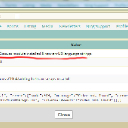
I'm trying to change the default.png image for new users who create accounts but don't upload a profile image. SEE my screenshot- I changed it in my User Accounts module, then saved and cleared cache. Then I created a new user without uploading a profile pic, signed up, ...and the old default.png was applied again. In my screenshot, it's showing the correct/NEW .png image.
Am I changing it in the wrong place?
I'm missing WHERE to change this image file. I made it the same size and file name as the old one, but it's not replacing it. Do I need to go into my server and directly switch the images?- if so, where?
Thanks!


profil.jpg profil.jpg - 48KB

updated by @strumelia: 06/18/15 10:58:45AM
Strumelia
@strumelia
05/15/15 10:33:02AM
3,605 posts

Upgrading YouTube to newest version 1.2.0


Announcements

They do show. My "run in developer mode" box wasn't and isn't checked.
Strumelia
@strumelia
05/15/15 06:59:35AM
3,605 posts

Upgrading YouTube to newest version 1.2.0


Announcements

Hoping to fix this somehow...there is something not quite right....see above errors.
Strumelia
@strumelia
05/14/15 04:42:44PM
3,605 posts

Admin Hover menu


Jamroom Developers

Sorry, I will pay more attention to the post categories! :)
Strumelia
@strumelia
05/14/15 04:40:32PM
3,605 posts

Upgrading YouTube to newest version 1.2.0


Announcements

and here's the detail, similar for all the "!" errors:
2.jpg 2.jpg - 138KB

updated by @strumelia: 05/14/15 04:40:47PM
Strumelia
@strumelia
05/14/15 04:37:13PM
3,605 posts

Upgrading YouTube to newest version 1.2.0


Announcements

Ok, sorry to bring this up yet again, but...
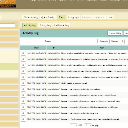
I'm seeing a whole bunch of "!" notes in my activity log since yesterday or the day before, having to do with the YT API and videos.
Even though I applied the new fix and new key and everything seems to be working fine when adding new videos...
I get these errors, many of them- see my two screenshots please- it even happens when I'm simply updating to the latest modules that have nothing to do with videos...
1.jpg 1.jpg - 266KB

updated by @strumelia: 05/14/15 04:40:03PM
Strumelia
@strumelia
05/14/15 10:39:28AM
3,605 posts

Admin Hover menu


Jamroom Developers

Did you go to the module's "Info" TAB and make sure the "module active" checkbox is checked? then SAVE changes, 'reset cache', and refresh page.


updated by @strumelia: 05/14/15 10:39:52AM
Strumelia
@strumelia
05/13/15 08:52:35AM
3,605 posts

Upgrading YouTube to newest version 1.2.0


Announcements

Well, silly is as silly does... so I'm not too worried.
Strumelia
@strumelia
05/13/15 07:15:01AM
3,605 posts

Upgrading YouTube to newest version 1.2.0


Announcements

Michael- thank you so much!
It WORKED! :)

Perhaps because i had put (mysite).com in the permitted referrers window screwed it up, who knows? All other steps I had done the same. So this time I left that box BLANK.

Anyway all is working great now.... wheeeeeee! :)

By the way, the instructions with step by step screenshots you guys gave are wonderful- couldn't be clearer and otherwise I would have been floundering a bit. Jamroom = GREATEST


updated by @strumelia: 05/13/15 07:16:57AM
  236