Forum Activity for @derrickhand300

derrickhand300
@derrickhand300
03/22/15 02:01:05AM
1,353 posts

Help Locating A Template


Using Jamroom

Well I actually found it- then lost its location...but I will find it again :)

The template is
online_status.tpl
Seems like a great place to make nav links to things like "posting Guidelines, TOS" etc...

Update: located in /user/admin/templates
updated by @derrickhand300: 03/22/15 02:04:48AM
derrickhand300
@derrickhand300
03/22/15 01:47:45AM
1,353 posts

Help Locating A Template


Using Jamroom

I would actually KILL for a tool that lets me mouseover an area and tells me the template for that area in a pop up :) Who do I have to kill? :)
derrickhand300
@derrickhand300
03/22/15 01:46:30AM
1,353 posts

Help Locating A Template


Using Jamroom

Thank you Gary
I have actually typed random characters( zzzxxxyyy etc) all over the profile_index template and cant get anything to show in the left column. Could be I am still missing the spot though :)

Using Firebug the div I am looking for is shown in this
<div id="u57c95b">    <div class="online_status_table">
 
I have entered the div in template search but no luck
derrickhand300
@derrickhand300
03/22/15 01:04:23AM
1,353 posts

Help Locating A Template


Using Jamroom

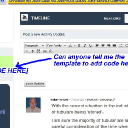
Wondering if anyone can help me locate a template ( see screenshot)
I am wanting to add some code here ( navigation buttons) I have tried all the templates in " user profiles" but none of them seem to edit this left side.
Thanks
Capture.JPG.jpg Capture.JPG.jpg - 79KB

updated by @derrickhand300: 12/22/16 11:55:59AM
derrickhand300
@derrickhand300
03/22/15 12:40:07AM
1,353 posts

Editing Facebook Profile Page Metadata


Using Jamroom

When I share something on my profile ( or anyones) I do not want the OG:Image to display the users profile picture...I want it to display the photo(s) in the content n the profile page I am sharing

Here is the current FB metadata ( default) for the profile pages
<meta property="og:image" content="{$jamroom_url|replace:"http:":"https:"}/{$murl}/image/profile_image/{$_profile_id}/xxlarge" />

How would I replace image/profile_image with an image of the content on the page ( be it a video-an article- blog-discussion etc)

Capture.JPG.jpg Capture.JPG.jpg - 95KB

updated by @derrickhand300: 12/22/16 11:55:59AM
derrickhand300
@derrickhand300
03/21/15 11:40:58PM
1,353 posts

How to use the jrGravatar module to provide a default profile image?


Using Jamroom

....and now i have an issue where I cannot seem to edit someones profile photo when they upload it oriented sideways...I can click edit- go into the editor and rotate it save changes...etc...but the changes dont save...back to sideways...
I really need more control over my site than this...
derrickhand300
@derrickhand300
03/21/15 11:37:11PM
1,353 posts

How to use the jrGravatar module to provide a default profile image?


Using Jamroom

Thanks Strummelia
Yes i understand that....just crazy when you have a members page covered with the same image in 50% of the places...
For 7 years i have REQUIRED that users upload a profile image of their own ( to avoid this) and it has cost me a great deal of members because some did not want to upload BUT i felt this was important so for SEVEN years I have demanded it.....now I am losing that.....which of course is a disappointment...
derrickhand300
@derrickhand300
03/21/15 10:52:35AM
1,353 posts

How to use the jrGravatar module to provide a default profile image?


Using Jamroom

Maybe I am misunderstanding
I don't want cartoon faces from gravitas as my default profile images any more than I want mine craft characters
I want to upload my own default images- not one- but many- and I want the imgaeS to correspond to the style of my site- in this instance it would be different oilfield pics
Only thing that looks words than a question mark all over the members page is a bunch of goofy avatars
derrickhand300
@derrickhand300
03/21/15 08:22:25AM
1,353 posts

How to use the jrGravatar module to provide a default profile image?


Using Jamroom

Im following you Skipper...I attempted this- got lost and stopped...I want to upload say 10 of my OWN default images then have Gravitar select randomly from my list....still have to figured that out so i will keep an eye on this one
Gilligan
updated by @derrickhand300: 03/21/15 08:22:46AM
derrickhand300
@derrickhand300
03/21/15 04:36:55AM
1,353 posts

Question Regarding Seamless Module Function


Using Jamroom

Could we get a SCROLL DOWN ^ arrow on this?
  104