Forum Activity for @michael

michael
@michael
11/01/18 03:23:30AM
7,823 posts

My site does not appear to support SSL?


Installation and Configuration

Login as the admin user then go to
https://johanniter-intern.de/user/ssl_check

See if it gives you the OK response.

Your system check looks ok.

Try running the integrity check just to get it out of the way as a possible issue
ACP -> MODULES -> CORE -> SYSTEM CORE -> TOOLS -> INTEGRITY CHECK -> check all checkboxes -> RUN

jrCore_load_url is not important unless you want to look at the code yourself. if you do its in the util.php file in the jrCore module. What it does is important though, what it does is it tries to load that URL above over SSL and for you its failing. SOOOOOO...... its either
A: the page cant be loaded OR
B: the loading function isnt working.

Not sure which yet. If while logged in as the admin user you get the OK from that url above, then its probably the function not working. If that the case then its probably that your server does not have CURL functions enabled for php. In which case my suggestion will be contact the server company to see that it has all the needed functions.

BUT, i would have expected to see notice of that in the SYSTEM CHECK that you ran and it looks ok. so not sure.
michael
@michael
11/01/18 01:41:31AM
7,823 posts

Unknown Upload (Audio+Video) Error


Installation and Configuration

you can try looking in the CONSOLE of the browser. In Firefox you can get to the console by hitting F12 then choosing the CONSOLE tab.

This shows you any javascript messages that happen at the time of upload.

If there is nothing useful there, then the next place to look is the servers error logs.
console.jpg console.jpg - 234KB
michael
@michael
11/01/18 01:35:28AM
7,823 posts

A problem while i click in the comment button


Using Jamroom

On the users profile timeline page there should be a comment box there. screenshot. Make sure the profile is setup to allow access to the comments from the ACP.
timeline_comment.jpg timeline_comment.jpg - 52KB
michael
@michael
11/01/18 01:29:36AM
7,823 posts

My site does not appear to support SSL?


Installation and Configuration

Malthor:..... is actualy needed in my case.....
Do you have the lock failing with warnings like "non-secure images are loaded in the page, this page is not secure"?

This can be caused if you use an external image with an http:// start in say an:
<img src="http://some-site.com/some-image.png"...........
which needs to be rewritten to
<img src="https://some-site.com/some-image.png"...........
to fix the above warning. If you do then you need to turn this feature on to have the http:// rewritten to https://
michael
@michael
11/01/18 01:26:07AM
7,823 posts

My site does not appear to support SSL?


Installation and Configuration

I saw what you said, just without a URL to confirm it for myself I needed to ask.

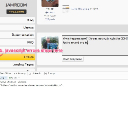
that error will show when the function to check it fails. The function to check it tries to open:
https://yoursite.com/user/ssl_check
and expects an OK response (screenshot)

If that URL is ok, then the issue could be that the url loading function is not working:
jrCore_load_url

Check that you have no orange lights on at
ACP -> MODULES -> CORE -> SYSTEM CORE -> TOOLS -> SYSTEM CHECK
this_url.jpg this_url.jpg - 12KB

updated by @michael: 11/01/18 01:26:29AM
michael
@michael
11/01/18 01:03:26AM
7,823 posts

My site does not appear to support SSL?


Installation and Configuration

are you able to access your site via
https://your-site.com?
michael
@michael
10/29/18 12:55:11AM
7,823 posts

Images Blurry on Soundcloud and Crop themselves in general


Installation and Configuration

The solution in the other thread is to go into jrSoundCloud_item_list.tpl add in a {debug} to see what variables you have available to you at that point, then see if any of the other variables are better quality. If there is one that is better quality, then use its name value instead of the current one.

These are images that come from soundcloud, so you're only going to be able to use a better image if they provide one to use.

the solution will be something like this:
<img src="{$item.soundcloud_artwork_url|replace:"-large.jpg":"-t500x500.jpg"}" .......
which means soundcloud is providing some-image-name-large.jpg and will change it to some-image-name-t500x500.jpg
michael
@michael
10/24/18 06:41:57PM
7,823 posts

Ninja Skin - Mobile - Hide Avatar


Design and Skin Customization

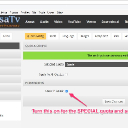
Also, there's the tool in the developers tools module
ACP -> MODULES -> DEVELOPER -> DEVELOPER TOOLS -> GLOBAL CONFIG -> Template Name in Source

Then look at the source code of the page you're interested in and you'll see which template it comes from.
name_in_source.jpg name_in_source.jpg - 141KB
michael
@michael
10/24/18 06:37:10PM
7,823 posts

the purchased items are not showing


Using Jamroom

Where are they not showing? Installed items don't show in the marketplace list.
  105