Forum Activity for @michael

michael
@michael
12/11/17 04:11:28PM
7,823 posts

New SignUp Listener


Jamroom Developers

If you look in the jrUser module's _init() function you'll see the events it fires. The ones you're probably interested in are:
    // register our triggers
    jrCore_register_event_trigger('jrUser', 'signup_validate', 'Fired when a user submits account data for a new account');
    jrCore_register_event_trigger('jrUser', 'signup_created', 'Fired when a user successfully signs up for a new account');
    jrCore_register_event_trigger('jrUser', 'signup_activated', 'Fired when a user successfully validates their account');
    jrCore_register_event_trigger('jrUser', 'login_success', 'Fired when a user successfully logs in');
......
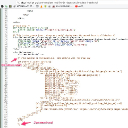
Pick one of those that suits where you want to interact with the flow and define a listener in your module, then when the event fires you can do your stuff.

Docs: "Events and Listeners"
https://www.jamroom.net/the-jamroom-network/documentation/module-developer-guide/1011/events-and-listeners
michael
@michael
12/10/17 12:28:40PM
7,823 posts

Hosted Uploading Videos Issues on Audio Pro


Design and Skin Customization

specifically:
This template:
your-site.com/core/template_modify/skin=jrAudioPro/template=jrAudioPro_video_player.tpl

was changed from 'video_file_mobile' to 'video_file'
updated by @michael: 12/10/17 12:29:03PM
michael
@michael
12/09/17 07:08:57PM
7,823 posts

Hosted Uploading Videos Issues on Audio Pro


Design and Skin Customization

Send us your login details and I will have a look at it. send to support at jamroom dot net
michael
@michael
12/09/17 05:12:05PM
7,823 posts

Hosted Uploading Videos Issues on Audio Pro


Design and Skin Customization

There was this issue from a while back:
https://www.jamroom.net/michael/blog/96/upgrading-to-jamroom-61-videos-have-gone

but if its playing on other skins, then its probably a template issue. Does your skin have any customizations to the player template?
michael
@michael
12/09/17 05:08:00PM
7,823 posts

Trial Pro Install Failed


Installation and Configuration

Try running the repair.php script, directions here:
https://www.jamroom.net/the-jamroom-network/documentation/troubleshooting/114/somethings-wrong-what-do-i-do#if-you-cannot-get-in-to-the-acp

If that fails download and install the opensource version, then put your key into it and it will become PRO
michael
@michael
12/09/17 04:06:56PM
7,823 posts

Gallery Photos showing as placeholder photos


Using Jamroom

Sounds like the profile is private.

If it shows up as a placeholder, use the "View Image" feature of your browser to visit JUST the image's url to see if there is any other info.
michael
@michael
12/08/17 06:40:22PM
7,823 posts

Add Attending Button To Profile


Design and Skin Customization

sure, you could wrap another div around whichever you want to change and then target it with CSS
.some_named_div .event_attend_button{
// whatever style you want here
}

updated by @michael: 12/08/17 06:41:03PM
michael
@michael
12/08/17 06:38:59PM
7,823 posts

Install from version 4 backup and then upgrade to newest version


Installation and Configuration

No problem by us you helping others out, feel free. :)

No you don't need to go to 5 before going to 6.
michael
@michael
12/08/17 06:37:03PM
7,823 posts

Trial Pro Install Failed


Installation and Configuration

if you have to add /install.php then either you've not copied over the hidden .htaccess file or your server doesn't support mod_rewrite.

Hopefully is the first because that's easiest to fix. Good to see you back again, I remember you icon from wayback. :)
michael
@michael
12/08/17 11:54:56AM
7,823 posts

Add Attending Button To Profile


Design and Skin Customization

Nice one. Make it your own! :)

If you want the changes that are being released, its these:
 .event_attend_button {
-    background: rgba(0, 0, 0, 0) none repeat scroll 0 0;
-    border: 1px solid rgba(255, 255, 255, 0.4);
-    border-radius: 5px;
-    color: white;
-    padding: 8px 10px;
+    font-family: 'Nunito Sans', 'Helvetica Neue', Helvetica, Arial, sans-serif;
+    background: #FFFFFF linear-gradient(#FFFFFF, #EEEEEE) repeat scroll 0 0;
+    border: 1px solid #CCCCCC;
+    border-radius: 2px;
+    box-shadow: none;
+    color: #555555;
+    padding: 3px 5px;
 }
  168
