Forum Activity for @michael

michael
@michael
08/13/15 09:34:10PM
7,832 posts

Notification problem


Using Jamroom

Page refresh. Refresh the page and your view count goes back to zero and you'll get another notification. I'm in the process of also resetting the notification if you write a comment too.
michael
@michael
08/13/15 09:31:35PM
7,832 posts

Editing a page layout with Sitebuilder


Using Jamroom

researchcooperative:
Hi - it's back. "this page does not exist" message. Then "Would you like to create this page in Site Builder?" then "yes...".

There is no option to say 'No, I don't want a new page at this URL. I want my already existing page!"...

The message says "this page does not exist" because no page exists. There is no already existing page at that URL.

researchcooperative:...
I have to say, I really do not understand the form designer system at all. I've been trying to make specific form fields for profiles in specific quotas, but this just seems to create tangles in the system and the output (e.g. old data remains displayed, even though the form has changed and the data field is no longer active for the quota and its profiles - and the 'page does not exist' problem) ...

There appear to be 2 questions here. Form Designer is unrelated to Site Builder.

"...Recently, in ACP, I restricted the bio field to quotas for human members (Regular member, special member, etc.)...."
What steps did you take, I'm not understanding the process you are going through to reach the destination.
michael
@michael
08/13/15 08:29:37PM
7,832 posts

Notification problem


Using Jamroom

Could be this that your seeing:
* when a user is watching the group discussion they will be notified when a new post is added to the discussion. They will only be sent one notification.

So if there is a hot discussion that tom is watching
* tom writes a post on the discussion, then closes the browser
* bill writes a reply
* greg writes a reply
* sally writes a reply
* dave writes a reply


tom will only get ONE email saying there are more replies to the post.

If tom goes and reads the discussion that one limit is reset to zero, so if he goes away again and there are more replies, he will receive another email.

The possible situation at a guess:
* an email was sent out to your users, but they didn't click on it or visit the discussion, a few days later they do visit the discussion again and find that there have been comments every day for the last 5 days. They check their email for the last 4 days and see no notifications and think "the system is not sending me emails even though I am watching."

--edit--
I'll add this to the message that gets sent out:
Quote: There may also be other replies, but you will not receive any more notifications until you visit the discussion again.

updated by @michael: 08/13/15 08:32:02PM
michael
@michael
08/13/15 02:50:24AM
7,832 posts

Notification problem


Using Jamroom

are you talking about the groups discussion module or the jrForum module?
michael
@michael
08/13/15 01:34:46AM
7,832 posts

Notification problem


Using Jamroom

Great explanation of what the issue is, thanks.

I'll get setup to see if I can recreate it.
michael
@michael
08/13/15 01:32:14AM
7,832 posts

Admin Account


Installation and Configuration

I can see whats happening on your system, but not why.

When the form is submitted via ajax, there is no response coming back. Might try uploding the jrUser module again and the jrCore module again.

http://YOUR-SITE.de/jr/core/form_validate/__ajax=1?jr_html_form_token=d0b32fb7d8cc7244c84a4d62a924c6e3&quota_id=1&user_email=me%40mylocation.com&user_name=admin&user_passwd1=admin&user_passwd2=admin

should be returning a JSON response, but your site is returning a blank white page.

So check the error log at:
/data/logs/error_log

and the activity log at:
/data/logs/activity_log
michael
@michael
08/13/15 01:06:32AM
7,832 posts

Admin Account


Installation and Configuration

That's unlike any php.ini file I've ever seen. It looks more like the output of phpinfo();

Either way though, that's not what's important. What is important is what the error is.

What is the URL for the site? See if there is any javascript errors in the console if you are running firefox or other browser that lets you know what javascript errors occur.

Also check in your servers error logs.

Also check in
/data/logs/error_log
michael
@michael
08/12/15 10:18:07PM
7,832 posts

Put lightbox feature everywhere?


Using Jamroom

@lornawebber, what your after is in item_gallery.tpl around line 68 ish.

Its this bit of code:
{jrCore_module_function function="jrImage_display" module="jrGallery" type="gallery_image" item_id=$item._item_id size="medium" crop="auto" class="gallery_img iloutline" alt=$item.gallery_alt_text width=false height=false}

You want to remove that part that reads crop="auto".

So once that's done, you'll have
{jrCore_module_function function="jrImage_display" module="jrGallery" type="gallery_image" item_id=$item._item_id size="medium" class="gallery_img iloutline" alt=$item.gallery_alt_text width=false height=false}
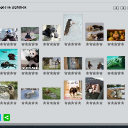
That will cause the gallery page to look like this:
  500