Forum Activity for @michael

michael
@michael
08/11/15 06:51:25PM
7,832 posts

links in emails from Jamroom Support missing links now


Using Jamroom

mmmmm, wonder how that's happening. I'll go look, see if I can recreate. any guesses? works for me but not for you.

--edit--
think I see why, brians already found and fixed it here. I've uploaded jrForum 1.6.2 to the marketplace. Could you see if that sorts it out for you please.

I think it will.
updated by @michael: 08/11/15 06:59:19PM
michael
@michael
08/11/15 06:47:30PM
7,832 posts

Put lightbox feature everywhere?


Using Jamroom

Check out the just updated version of the docs:

"Altering a modules template"
https://www.jamroom.net/the-jamroom-network/documentation/development/1051/altering-a-modules-template

It now contains 2 ways to do what your after, either via the file system or via the ACP
michael
@michael
08/11/15 05:49:09PM
7,832 posts

Put lightbox feature everywhere?


Using Jamroom

@lornawebber sure, totally agree that what we have now is not going to be perfect for every use-case. What I'm saying is that I think what we have now is the best multi-purpose setup for general use.

What your after can be done at the skin level by over-riding the modules template and setting it up how you want it.

The only thing you will see with that "not ever photo is square" setup is that the CSS float will make it so you have big white patches.

See the two images attached. They show what is wanted and what you actually get when image of different sizes are floated together. You'd need to address how to handle that problem.
wanted_float.jpg wanted_float.jpg - 54KB
michael
@michael
08/11/15 05:40:40PM
7,832 posts

Cannot find 'error was encountered loading the media URL'


Installation and Configuration

Yeah, as paul said, the text is hard-coded. What is better than trying to change that text is to change the action that occurs when the button is clicked.

I think the suggestion of doing it in the templates is the best one as its easiest to implement, but it is also possible to do at the module level.

The function that is firing that produces that error is:
view_jrCore_stream_url_error()

and it contains an event

"events and listeners"
https://www.jamroom.net/the-jamroom-network/documentation/development/1011/events-and-listeners

So you could tap into that event to return different text or redirect the user to the login page via a small module with a listener in it.

I think the better way would be to expand on pauls idea. So if you want to show the button, but want it to do something different for logged out users, then this structure.

{if jrUser_is_logged_in()}
    Button Code
{else}
   Show a picture of the button that links to the login page
{/if}

That way if the user is logged in, the song plays. if the user is logged out, clicking the button takes them to the login page.
michael
@michael
08/11/15 05:31:15PM
7,832 posts

Responsive Skins?


Design and Skin Customization

Yeah stuff changes on the interweb. ;)

This is the contents of the documentation:
https://www.jamroom.net/the-jamroom-network/documentation/contents

There is a section "Jamroom 4 to Jamroom 5"

and there are a couple of video courses here if you like videos better:
https://www.udemy.com/start-your-own-online-community
https://www.udemy.com/developers-guide-to-customizing-jamroom/

As a brief overview:

Now everything that is part of jamroom runs through the router system. So any incoming url's get funnelled into the the router that then works out who wants to deal with it.

The result is that you don't need to change core files to take control of a location. It works really well.

EG:
For this url your-site.com/somewhere That could be either a .tpl file in a skin called 'somewhere.tpl' OR it could be a module that takes control of the 'somewhere' url.

So the possible locations for output of that page are:
/skins/(YOUR SKIN)/somewhere.tpl (if that .tpl file exists in the skin) OR
/modules/xxSomewhere/templates/index.tpl (if there is a module controlling the url)

Then there are many more levels of possible interaction between modules and other modules.

So yeah it got a bit more complicated in JR5 but it also got a lot more powerful. :)

michael
@michael
08/11/15 03:03:12AM
7,832 posts

Put lightbox feature everywhere?


Using Jamroom

Zachary Moonshine:
this is the best feature for viewing photos in galleries but is very hard to get too unless you know you are looking for it is there anyway to make it so it is accessible on every page of a photo gallery and not just the one?

To me it doesn't make sense to put it on the details page. The details page is the one that holds the image as a single piece of content along with comments 'n stuff.

Since there is only 1 photo there would be no 'next' 'prev' on the item_details page, just a lightbox of the one photo.

It is possible to do though using the "Override a modules template" method above though.

Seams like if you have a community where there are a lot of comments left on each photo, then the current system would be better to view a photo, then navigate to the next one and also keep the option of viewing in a lightbox for those that want that too.
michael
@michael
08/11/15 02:55:01AM
7,832 posts

Put lightbox feature everywhere?


Using Jamroom

lornawebber:...Can I put a Lightbox view option on pages other than the Gallery view page? for example, on the individual photo page?....
sure, you can take over that page and do to it whatever you want.

"Override a modules template"
https://www.jamroom.net/the-jamroom-network/documentation/development/1051/altering-a-modules-template
michael
@michael
08/11/15 02:44:24AM
7,832 posts

Editing a page layout with Sitebuilder


Using Jamroom

just an FYI post:

What was happening was some URL's had been activated as Site Builder pages, but no widgets added to them.

So what was needed was the pages that were created and empty needed to be deleted via the Site Builder menu so that the default pages could come back.
michael
@michael
08/11/15 02:34:27AM
7,832 posts

Cometchat setup


Using Jamroom

its setup to be auto-resize on the height of the iframe. There was an issue with the code, it only needed a tweak, so i've tweaked it and am sending them the code now.

It should be fixed in an upcoming version.

--edit--
You can follow along here if you like:
https://my.cometchat.com/tickets/view-ticket/259129799-126656
updated by @michael: 08/11/15 02:41:04AM
michael
@michael
08/11/15 01:56:11AM
7,832 posts

Cometchat setup


Using Jamroom

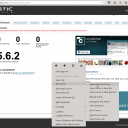
yup, its in an iframe.

You can get anything out of an iframe by right clicking it and selecting:
"This Frame" -> "Show only this frame"

--edit--
Or if thats too hard to locate on your browser ( get firefox ) you can use a direct link:
YOUR-SITE.com/modules/ccCometChat/contrib/cometchat/admin/index.php?module=dashboard

screenshot_cometchat_iframe.png screenshot_cometchat_iframe.png - 250KB

updated by @michael: 08/11/15 01:59:02AM
  503