Forum Activity for @michael

michael
@michael
08/11/15 02:34:27AM
7,839 posts

Cometchat setup


Using Jamroom

its setup to be auto-resize on the height of the iframe. There was an issue with the code, it only needed a tweak, so i've tweaked it and am sending them the code now.

It should be fixed in an upcoming version.

--edit--
You can follow along here if you like:
https://my.cometchat.com/tickets/view-ticket/259129799-126656
updated by @michael: 08/11/15 02:41:04AM
michael
@michael
08/11/15 01:56:11AM
7,839 posts

Cometchat setup


Using Jamroom

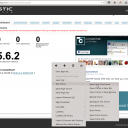
yup, its in an iframe.

You can get anything out of an iframe by right clicking it and selecting:
"This Frame" -> "Show only this frame"

--edit--
Or if thats too hard to locate on your browser ( get firefox ) you can use a direct link:
YOUR-SITE.com/modules/ccCometChat/contrib/cometchat/admin/index.php?module=dashboard
screenshot_cometchat_iframe.png screenshot_cometchat_iframe.png - 250KB

updated by @michael: 08/11/15 01:59:02AM
michael
@michael
08/11/15 01:46:36AM
7,839 posts

links in emails from Jamroom Support missing links now


Using Jamroom

For me the forum thread email looks like this Steve:
subject:
Quote:[ site.com ] New Reply: trains
Body:
Quote:A forum topic you are following has been updated:

user: admin
post: trains
view: http://site.com/admin/forum/1/trains/p=2

---------------------------------------

If you would prefer to no longer receive event notifications, you can adjust
your notification preferences in your User Account:

http://site.com/user/notifications

Or you can instantly unsubscribe from all notifications:

http://site.com/user/unsubscribe/eaa31c87e63fc89e1434a22b2e464794

of a forum topic I'm watching. what does yours look like?
michael
@michael
08/11/15 01:36:05AM
7,839 posts

Responsive Skins?


Design and Skin Customization

Started with Ver 5.
michael
@michael
08/11/15 01:35:13AM
7,839 posts

bug report - still a problem with forums pagination (slightly diferent problem)


Installation and Configuration

yep, that's a correct assumption. You're really getting to know how it works well. :)
michael
@michael
08/11/15 12:32:40AM
7,839 posts

bug report - still a problem with forums pagination (slightly diferent problem)


Installation and Configuration

Got this fixed for the next core release. If you want to patch yours before the next core release comes out, its this:

/modules/jrCore/templates/list_pager.tpl
{* prev/next page profile footer links *}
{if $info.prev_page > 0 || $info.next_page > 0}
<div class="block">
    <table style="width:100%">
        <tr>
            <td style="width:25%">
            {if $info.prev_page > 0 && $info.prev_page != $info.this_page}
                {if isset($pager_load_id)}
                    <a onclick="jrCore_load_into('{$pager_load_id}','{$pager_load_url}/p={$info.prev_page}')">{jrCore_icon icon="previous"}</a>
                {else}
                    <a href="{$info.page_base_url}/p={$info.prev_page}">{jrCore_icon icon="previous"}</a>
                {/if}
            {/if}
            </td>
            <td style="width:50%;text-align:center">
                <form name="form" method="post" action="_self">
                {if isset($pager_load_id)}
                    <select name="pagenum" class="form_select list_pager" style="width:60px;" onchange="jrCore_load_into('{$pager_load_id}','{$pager_load_url}/p=' + $(this).val());">
                {else}
                    <select name="pagenum" class="form_select list_pager" style="width:60px;" onchange="window.location='{$info.page_base_url}/p=' + $(this).val();">
                {/if}
                {for $pages=1; $pages <= $info.total_pages; $pages++}
                    {if $info.this_page == $pages}
                        <option value="{$info.this_page}" selected="selected">{$pages}</option>
                    {else}
                        <option value="{$pages}">{$pages}</option>
                    {/if}
                {/for}
                    </select>&nbsp;/&nbsp;{$info.total_pages}
                </form>
            </td>
            <td style="width:25%;text-align:right">
            {if $info.next_page > 0 && $info.next_page <= $info.total_pages}
                {if isset($pager_load_id)}
                    <a onclick="jrCore_load_into('{$pager_load_id}','{$pager_load_url}/p={$info.next_page}')">{jrCore_icon icon="next"}</a>
                {else}
                    <a href="{$info.page_base_url}/p={$info.next_page}">{jrCore_icon icon="next"}</a>
                {/if}
            {/if}
            </td>
        </tr>
    </table>
</div>
{/if}

The bits that were added were:
{if $info.prev_page > 0 && $info.prev_page != $info.this_page}
and
{if $info.next_page > 0 && $info.next_page <= $info.total_pages}

Or just wait til the next core release comes out.

Thanks for finding this issue.
michael
@michael
08/08/15 02:23:21AM
7,839 posts

How To Build A Mobile Menu for Slate Skin?


Design and Skin Customization

Try copying the header_menu_mobile.tpl over from jrElastic. Let me know if that sorts it out and I'll get it updated in slate.
michael
@michael
08/08/15 02:04:27AM
7,839 posts

Ordering Group discussions by latest active


Using Jamroom

This is a config option now in jrGroupDiscuss
ACP -> PROFILE GROUPS -> GROUP DISCUSSION -> GLOBAL CONFIG -> Sort by Recently Active
michael
@michael
08/07/15 09:31:37PM
7,839 posts

Profile Sharing Missing Picture?


Using Jamroom

Its a share this error that's got no plans to be fixed:
http://support.sharethis.com/customer/en/portal/questions/11643334-drupal-facebook-share-error

http://support.sharethis.com/customer/en/portal/questions/11658879-facebook-button-not-showing-images-first-time

You can get around it though by adding og:image:width and og:image:height as is outlined here:
https://www.jamroom.net/the-jamroom-network/forum/new_posts/31443/sharethis-bug/search_string=sharethis

to the meta tags on the page its coming from, or by the more inconvenient way of clicking the share button, closing the dialog, then clicking the share button again.

agree, its annoying and should be fixed.
michael
@michael
08/07/15 09:10:35PM
7,839 posts

How To Truncate Using Site Builder Item List


Using Jamroom

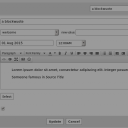
item grid looks like it already has a jrBlog_readmore splitter in there. Check that your blog posts have the 'page break' button in the position your interested in.

In the tinymce editor when you are editing the blog post, the button looks like a dotted line with half a rectangle above and half below.
screenshot_pagebreak.png screenshot_pagebreak.png - 47KB
  502