Forum Activity for @michael

michael
@michael
05/21/15 08:04:25PM
7,832 posts

Creating A Services Page


Using Jamroom

There is no way other than altering the menu's HTML itself via the template editor or via FTP.

This doc shows a couple of methods to alter the HTML of the templates:

"Creating your own skin"
https://www.jamroom.net/the-jamroom-network/documentation/skins/839/creating-your-own-skin


But what I would probably recommend more than that is to try out the Site Builder system.

Its in Beta now, but it gives you a lot of easy control over what I'm guessing your trying to do.

It allows you to add menu items via an interface rather than code and it allows you to create pages via drag-n-drop including anything you could have made with the "Page Creator" and more.

To turn it on, go to the admin control panel on your site:
ACP -> CORE -> MARKETPLACE -> TOOLS -> RELEASE CHANNELS

And activate the BETA channel.

Then go to:
ACP -> CORE -> MARKETPLACE -> search for 'site builder'

its the "Site Builder Core" module that your after. Install that.

When you are looking at the top page of your site, you will see a "Site Builder" button in the bottom left. Click that to add pages and customize the pages.

It should give you a lot of flexibility in design.
michael
@michael
05/21/15 07:39:39PM
7,832 posts

what is "Show Tours" ?


Using Jamroom

They were on when you first installed jamroom. remember those yellow popup notices that guide you around what modules do?

Those are tours. Probably you clicked "dont show me tours" and they went away.

To see what they do, go to
ACP -> CORE -> SYSTEM TIPS -> INFO -> ACTIVATE

to turn the tips/tours system on ( jrTips ) then go to:
ACP -> CORE -> SYSTEM CORE -> TOUR ( the yellow tab )

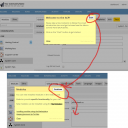
Clicking on that will bring up a yellow tour that reads:
Quote: Welcome to the ACP!
Start
Please take a few moments to follow this small introduction tour and get to know how the Admin Control Panel (ACP) works.

Click on the "Start" button to get started.

screehshot_tours.png screehshot_tours.png - 161KB

updated by @michael: 05/21/15 07:39:53PM
michael
@michael
05/21/15 07:29:26PM
7,832 posts

Notification follow on comments


Using Jamroom

You can set what you want to get an email about in:
YOUR NAME -> ACCOUNT SETTINGS -> NOTIFICATIONS

https://www.jamroom.net/user/notifications/

I there you can choose to get an email on a ton of stuff.
michael
@michael
05/21/15 07:26:28PM
7,832 posts

like button and funktions


Using Jamroom

All of that is possible with the jrCore_list function now, you'd just need to implement it.

Start with:
{jrCore_list module="jrLike" template="some_template.tpl"}

In the some_template.tpl file loop over the liked things with a link to their item_list.tpl file
{foreach $_items as $item}
{jrCore_include template="item_list.tpl" module=$item.module}
{/foreach}

You can use the order_by to get the list of newest liked stuff, most liked stuff, or limit it to a particular quota or profile etc...

"{jrCore_list}"
http://www.jamroom.net/the-jamroom-network/documentation/development/89/jrcore-list
michael
@michael
05/21/15 02:43:47AM
7,832 posts

Cannot access site after attempting to downgrade


Using Jamroom

1.0.7 is in the marketplace now. It should do the job correctly.
michael
@michael
05/21/15 01:45:00AM
7,832 posts

Cannot access site after attempting to downgrade


Using Jamroom

Somethings up, need to figure out what. Its only importing to LDN and not including WALES. Looking for why now.
michael
@michael
05/20/15 06:35:30PM
7,832 posts

Profile Layouts


Design and Skin Customization

guess it depends alot on the kind of site. If the focus of the profile is what the owner of that is doing then the activity stream gives a good update of where they are commenting, what they are adding.

If the site is focused more on that profile's content, like say a band site would be, then showcasing what is in the profile makes more sense. What other users have commented on on the profiles content. Showcase the existing profiles stuff rather than what the owner of the profile is doing.
michael
@michael
05/20/15 12:59:32AM
7,832 posts

Cannot access site after attempting to downgrade


Using Jamroom

send me that file. I'll try and make sure that next time its un-able to cause a problem, then release a newer version with that check in place, then you wont need to worry. :)
michael
@michael
05/19/15 10:14:26PM
7,832 posts

statistic for the user


Using Jamroom

You might be able to get a lot of that stuff with the {jrCore_list} call with a search1 to limit it to the profile_id your after.

Perhaps put a new page in your site at:
site.com/my_stats

then use the user's profile id from the $_user array to get data specific to the artist.

$_user._profile_id is the profile_id of the user looking at the screen.

So something like
{jrCore_list module="jrAudio" search1="profile_id = `$_user._profile_id`" chart_field="audio_file_stream_count" chart_days="7"}

"Advanced Charts"
http://www.jamroom.net/the-jamroom-network/documentation/modules/274/advanced-charts

That would produce
{$item.chart_direction}
{$item.chart_change}
{$item.chart_new_entry}
{$item.chart_position}

Might be able to use that to get what your after. I haven't done what your trying to do, so just trying to provide some insite into how I would start to approach the problem.

If that failed, then I would build a custom module to be able to use the jrCore_db_search_items() function to get the data necessary, then use a custom smarty function to get the data to the template:

"Defining your own smarty function"
https://www.jamroom.net/the-jamroom-network/documentation/development/1569/defining-your-own-smarty-function
michael
@michael
05/19/15 08:40:45PM
7,832 posts

Cannot access site after attempting to downgrade


Using Jamroom

its stalled. The issue in your SQL seams to be that you have a user or url that is
admin'

I didn't think that was possible. Thought there were checks in place for that not to happen.

What I would do is, hopefully you have a backup. If you do, go import that. If you don't then make one first.
* turn all the old site builder system back on.
* enable MENUS
* enable PANELS
* enable WIDGETS
* (if your using it) enable CONSTRUCTION KIT
* disable the new site builder

-- now make a backup
ACP -> SITE BUILDER -> PANELS -> TOOLS -> EXPORT
* Export everything to a .json file.
* download the .json file. (this is your backup)

-- probably best to stop here for now, if it doesnt work with the latest version, then its going to not work again if you do it again.

I'll check out the SiteBuilder system to see why it could be failing. Then get some checks in place.

If you send me that .json file to support at jamroom I can use it to test against to make sure its all ok to save you the hassle for next time if you like. If it doesnt attach as a .json file, package it in a .zip file, they attach.
  542
