Forum Activity for @michael

michael
@michael
12/02/14 01:04:08AM
7,832 posts

questions about the "profile to import forums into"


Ning To Jamroom

soaringeagle:...ideally id also like to be able to add custom menu items or like the profile tabs
The profile menu tab can be found in the file:
/skins/(YOUR SKIN)/profile_menu.tpl

There is a {foreach} loop that outputs all of the menu items. You can add some extra one's in after that if you like. Probably an easier way to do it though would be to create a Page for that profile that outlined all the important things, then use the profile tweaks module to set that as the default landing page with all the notes on it.

soaringeagle:
theres 1 discussion thats a forum discussion but its so complete and informative we use it as a menu item and is practicly required reading its the "goto' reference i guess it would equate to your "documentation' link and below that we have 3 or is it 4 other very important info pages

Under the update screen for those important posts there is an option "Pinned" that allows you to keep it pinned to the top of the forum threads. (here's a screenshot)
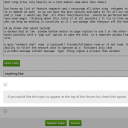
screenshot_pinned_forum.png screenshot_pinned_forum.png - 59KB

updated by @michael: 12/29/14 09:23:54AM

michael
@michael
12/02/14 12:50:36AM
7,832 posts

future feature request ninglike (but better) chat module


Ning To Jamroom

I built some base structure for a module for cometchat to use to get started building a module for jamroom and passed that off to them last week. Hopefully that will get sorted and into the marketplace to make it an easy 1-click install for cometchat (cometchat.com).

Nice idea Gary, I too love IRC and use it all the time to chat to other developers. Its a great system capable of thousands of users online simultaneously. Never tried running a server though, just login to freenode.

Putting it in the tracker.
updated by @michael: 12/29/14 09:23:54AM
michael
@michael
12/02/14 12:30:29AM
7,832 posts

Widget Builder Help


Using Jamroom

Gotcha. So far I have:

Quote:
name: Enter a descriptive name for this widget
Editor: Add some stuff to this location only via the editor
Template: The name of the template that exists in the current skin.
eg: audio-list-template.tpl

I guess they could be better. Maybe a link to a documentation page on jamroom.net?
updated by @michael: 12/22/16 11:55:59AM
michael
@michael
12/02/14 12:26:16AM
7,832 posts

After editing page, redirects to index page


Using Jamroom

Ive made a bunch of changes to pass a redirect_url through so its set to a hard-coded location:
http://yoursite.com/panel/your/working/on

I HOPE this will fix it ('cos it took a long time and doesn't change much for the browsers that work ;) )

Could you update to the latest versions in the marketplace and see if it works or not please.

Please do a hard refresh of the browser cache too to get rid of any browser cached javascript. ( ctrl+F5 on Firefox, should be the same on IE11 im hoping.)

and an integrity check with reset caches too, to make sure it is the newer version.

Cheers.
updated by @michael: 12/22/16 11:55:59AM
michael
@michael
12/01/14 09:58:01PM
7,832 posts

Widget Builder Help


Using Jamroom

not understanding sorry. Whats the question? are you meaning the "?" boxes on the forms? or better documentation in the /documentation here on jamroom.net?

Thanks.
updated by @michael: 12/22/16 11:55:59AM
michael
@michael
12/01/14 09:55:54PM
7,832 posts

After editing page, redirects to index page


Using Jamroom

not sure if I'm going to be able to fix that one alone. Don't have IE11. Does IE11 have any sort of javascript console to help us locate what the issue/error is?

I think the issue is:
window.location = '';
in firefox means reload the page, while in IE it means "go to the home page".

Looking for a confirmation on that now and what to do.
updated by @michael: 12/22/16 11:55:59AM
michael
@michael
11/28/14 09:11:06PM
7,832 posts

Can categories for audio and youtube videos be made ?


Design and Skin Customization

You can add any extra fields you like using the Form Designer

"Using the Form Designer"
https://www.jamroom.net/the-jamroom-network/documentation/getting-started/1275/using-the-form-designer

With that you can add in any fields that you need.

As a rough outline, something like:
* add a field with the Form Designer: audio_category
Make it a "select" type if you want to define the categories they can use. In the options put:
lectures|Lectures
self_improvement|Self Improvement
and whatever other categories you want to add in. the first part should not contain spaces, the second is what the user will see in the drop down list.

If your not so pickey as to what the user adds, then perhaps a "Select and Text" that will show all the previously entered options and allow them to select from that or add their own in.

From there you can use that in any {jrCore_list .....} that you like anywhere.

"{jrCore_list}"
http://www.jamroom.net/the-jamroom-network/documentation/development/89/jrcore-list

For example if you wanted to create a list just containing Self Improvement items, then use:
{jrCore_list module="jrAudio" search="audio_category = self_improvement"}

and you will get a list of those files.

If you want to put that as the default tab on the profiles, then you'll want to over-ride the modules item_index.tpl file.

eg:
The file responsibile for this screen http://1940snetwork.com/founder/audio is:
/modules/jrAudio/templates/item_index.tpl

While the file responsible for this screen http://1940snetwork.com/audio is
/modules/jrAudio/templates/index.tpl

Its the same for all modules.

Inside that each you will find a {jrCore_list ....} call.

If you want to over-ride either of those tempates, do that in your skin. Just copy it to your skin and prefix it with the module name. eg:
To over-ride:
/modules/jrAudio/templates/item_index.tpl

copy it to
/skins/(YOUR SKIN NAME)/jrAudio_item_index.tpl

then alter it however you like.
michael
@michael
11/28/14 01:44:10AM
7,832 posts

Module Relationships and Question about counting number entries in multiple fields.


Using Jamroom

makuta:
How about a specific time?

If you need it to fire at a specific time I suggest cron from your server to call a url.
michael
@michael
11/28/14 01:42:30AM
7,832 posts

Module Relationships and Question about counting number entries in multiple fields.


Using Jamroom

makuta:.... if i want to have the data updated immediately instead of being triggered by the daily maintenance, how would I do that?...

If you want a function to fire based off of a URL, eg: someone visits:
your-site.com/reviews/some_location

Then that corresponds to the 'some_location' function for your module. (because you chose 'reviews' as the module base URL, so anything that goes to '/reviews/' gets sent to xxReviews)

That url is defined in your _meta() function in your includes file.

/**
 * meta
 */
function xxReviews_meta(){
    $_tmp = array(
        'name'        => 'Reviews',
        'url'         => 'reviews',
        'version'     => '1.0.0',
        'developer'   => 'a Reviews module, ©' . strftime('%Y'),
        'description' => 'a module related to reviews,
        'category'    => 'site',
        'license'     => 'mpl'
    );
    return $_tmp;
}

Think yours should look like that ^^

What is looked for by the system is a function in the index.php file with a certain name.
so your index.php file needs a function called view_xxReviews_some_location()

This is what your index.php file should look like:
<?php
/**
 * @copyright YOUR NAME
 * @author your name <you [at] yoursite [dot] com>
 */

// make sure we are not being called directly
defined('APP_DIR') or exit();

//------------------------------
// some_location
//------------------------------
function view_xxReviews_some_location($_post, $_user, $_conf)
{ return 'hello world'; }
There is a Jamroom5 "Hello World" repo here:
https://github.com/PMaynard/JR5-Hello-World

With a bunch of 'Hello World' examples in it. It might be useful to you.

updated by @michael: 11/28/14 01:44:41AM
  629
