Forum Activity for @michael

michael
@michael
12/14/17 01:57:56PM
7,826 posts

No comments box on profiles, images or Private Notes for some users


Using Jamroom

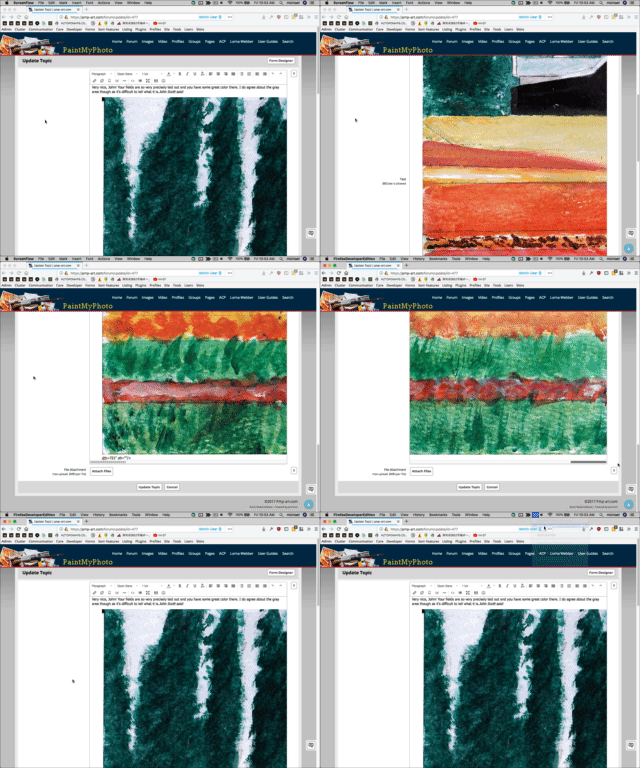
The scroll bars for the page should work to scroll down in the editor. (screenshot)

Couldn't find the exact image you're talking about, but found another large image on your site.
tinymce.gif tinymce.gif - 3MB
michael
@michael
12/14/17 01:28:17PM
7,826 posts

auto-approve followers checkbox not doing its job?


Using Jamroom

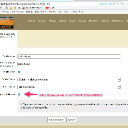
They all have APPROVE FOLLOWERS checked (maybe thinking that means 'automatically approve followers' ). The help for that is
Quote: If "Approve Followers" is checked, anyone following your profile will need to be approved by you before becoming a follower of your profile.

My guess is they've mistakenly thought the checkbox meant automatically. plausible?

--edit--
I can understand "Approve Followers" could have a double meaning. Better wording options? "Review Followers" .... suggestions?
approve_followers.jpg approve_followers.jpg - 111KB

updated by @michael: 12/14/17 01:31:32PM
michael
@michael
12/13/17 09:53:43PM
7,826 posts

No comments box on profiles, images or Private Notes for some users


Using Jamroom

I changed this call:
 {jrCore_list module="jrBlog" limit="1" profile_id="1" search="blog_category = side_4" template=$side_tpl}
to
 {jrCore_list module="jrBlog" limit="1" search1="blog_category = side_4" template=$side_tpl}

the first one looks like it should work to, so surprised it wasnt. not sure of the why.
michael
@michael
12/13/17 08:05:56PM
7,826 posts

No comments box on profiles, images or Private Notes for some users


Using Jamroom

I can see the issue. Trying to understand the structure.

Its related to the jrCore_list call. Probably connected to profile privacy. looking for what now.
michael
@michael
12/13/17 07:50:54PM
7,826 posts

No comments box on profiles, images or Private Notes for some users


Using Jamroom

where should your adverts be showing strumelia?
(will look into the url thing, thanks. :) )
michael
@michael
12/13/17 07:41:55PM
7,826 posts

How to remove Jamroom banner from mobile version of my site?


Using Jamroom

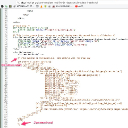
That section is in your header.tpl file.

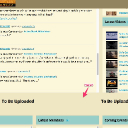
I've wrapped the unwanted section in comment {* anything in here wont show *}

It should be fixed now.
commented_out.jpg commented_out.jpg - 143KB
michael
@michael
12/13/17 07:32:23PM
7,826 posts

No comments box on profiles, images or Private Notes for some users


Using Jamroom

Run the integrity check with all the check boxes checked, then run the RESET CACHE tool.

After that if its still happening, I'll take a look. The main javascript file is compiled from all the smaller scripts, so so long as that is at its latest version and the browsers are loading it things should be working.
michael
@michael
12/13/17 07:12:52PM
7,826 posts

No comments box on profiles, images or Private Notes for some users


Using Jamroom

Clearing the browser cache should fix it for good I would expect. If its only temporarily, do you know steps to see it re-occurring?
  167