Forum Activity for @brian

brian
@brian
01/30/17 02:15:10PM
10,167 posts

User to User Ownership


Using Jamroom

Keith Mauck:Is there a way to move all items owned by one USER to another USER (not profile)?

Almost everything in JR is owned by a profile - not a user. What did you want to transfer?

Thanks!
brian
@brian
01/30/17 02:14:05PM
10,167 posts

Playlist and Stream pay


Design and Skin Customization

Note that stream pay only logs ONE play per User/IP per day, and does NOT count streams from admin users - so make sure you are testing with a song you have NOT tested with before. It doesn't matter where the stream comes from - the counting happens on the stream request.
updated by @brian: 01/30/17 02:14:19PM
brian
@brian
01/30/17 02:08:05PM
10,167 posts

Issue Installing


Installation and Configuration

Welcome back to Jamroom :)

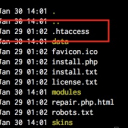
The file is there (just checked) - sounds like your FTP client is not setup to show "hidden" files - make sure you enable the showing of hidden files in your FTP client and then the local .htaccess file should show.

Let me know if that helps.
Voila_Capture 2017-01-30_02-01-52_PM.jpg Voila_Capture 2017-01-30_02-01-52_PM.jpg - 61KB

updated by @brian: 01/30/17 02:08:23PM
brian
@brian
01/29/17 10:14:42AM
10,167 posts

Install button not shown


Installation and Configuration

skampen:Hello,

I have uploaded the Genosis Family tree source to my hosting server and have launched the install.php script from my browser, but the "install" button isn't visible on the page. I see all the fields to fill in for database name, db account name, email address, etc., but not the install button.

Tried both IE and Chrome browsers.

Any ideas?

Thanks,
Scott


Hi Scott - welcome to Jamroom!

Sounds like you may be seeing an issue with our current installer - on smaller screens the "footer" may cover up the submit button - if that is the case, try making your browser window larger (if you can) or "zoom out" and you should be able to see the button. This is fixed in our next core release.

Let me know if that helps.
brian
@brian
01/29/17 10:12:57AM
10,167 posts

persistent deleted custom fields


Using Jamroom

That doesn't really make sense - if they are still showing then they are either still in the database, or for some reason are still in some form sessions. In your "reset caches" check the "Reset Form Sessions" option and see if that helps. If they STILL show, then they have not been deleted OR they were not deleted from the right form. Remember that most forms have BOTH a "create" and an "update" form - you'll need to remove the field from both.

Let me know if that helps.
brian
@brian
01/29/17 10:11:11AM
10,167 posts

Profile Domains Module Examples


Using Jamroom

SoftDesigns:For example when new User joins michael.com - are they joining onto that profile only, or do they join the main site http://yoursite.com ?

No - when a user clicks on "login" or "signup" they go to the main site. ONLY the pages of the profile mapped to the domain will use the domain - all the "other" links on your page - i.e. privacy policy, header menu items, etc will all point to the main site URL.

Quote:We hope to understand the difference between Groups, and Profile Domains.

Profile Groups and Custom Domains are not related:

Custom Domain - simply maps a domain that is DIFFERENT than the main site domain to a profile. So for example - on out site here "jamroom.net" I could add a custom domain called "brianjamroom.com" and map it to MY "brian" profile.

Profile Groups - allows profiles to create "groups" that share an interest - i.e. I could create a group called "Jamroom Developers" on my profile, and it would have it's own discussions and pages.
brian
@brian
01/29/17 10:07:45AM
10,167 posts

jr_jrlike_item_key


Using Jamroom

I have a solution in place for this in the next Like module. What it does is watch for any links to Like Item Detail pages (which don't exist) and if it gets one it redirects to the page the like was created on. This will prevent this error from happening.
brian
@brian
01/29/17 10:06:14AM
10,167 posts

Custom Domain Question


Using Jamroom

This is normal. When a user clicks on a URL to move to a page that is on a custom domain, the user's session is going to be different (since sessions are unique for each domain). This "login_check" is a special check the module does that prevents the user from having to login on each custom domain - their "session" will seamlessly move between all hosted custom domains.

Let me know if that helps.
brian
@brian
01/28/17 02:30:22PM
10,167 posts

URL Scanner - is 'https' an issue?


Using Jamroom

UPDATE: One thing it could be is that at the time it tried to grab the OG tags, there was an error (i.e. it couldn't load the URL) - that means the non-OG tag version is cached. In your URL Scan datastore browser, find the ID for that URL and delete it and see if that works.
  150