Forum Activity for @brian

brian
@brian
02/14/18 05:42:57AM
10,158 posts

Audio Module - ID3- Meta Album Art


Using Jamroom

I'm checking this out - I just tested this on a JR site on a different server and see the same issue you are seeing, so something is up - I will let you know what I find.
brian
@brian
02/13/18 06:34:03PM
10,158 posts

Audio Module - ID3- Meta Album Art


Using Jamroom

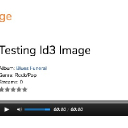
I'm not seeing any issues here - audio art is being read correctly. Double check that you are using the JR provided ffmpeg - it could be you're using a custom version of ffmpeg.
Voila_Capture 2018-02-13_06-32-05_PM.jpg Voila_Capture 2018-02-13_06-32-05_PM.jpg - 45KB
brian
@brian
02/13/18 03:37:52PM
10,158 posts

How to move a production site to a staging server


Installation and Configuration

That's wrong - do not uncomment that line or Jamroom won't work right. Instead, you need to create a .htaccess file in the /home/americandriller/public_html/store/admin directory that contains the correct INDEX file that is run when accessing that directory - i.e. index.php, index.html, etc.:

DirectoryIndex index.php index.htm index.html
Your server person should be able to help you with that.
brian
@brian
02/13/18 01:17:29PM
10,158 posts

Audio Module - ID3- Meta Album Art


Using Jamroom

I'm not seeing any issues on this end - embedded ID3 image is being used if present. Are you certain the MP3 has an image embedded? Please post a URL where I can download the MP3 file and check it out from here.

Thanks!
Voila_Capture 2018-02-13_01-16-28_PM.jpg Voila_Capture 2018-02-13_01-16-28_PM.jpg - 50KB
brian
@brian
02/13/18 12:27:25PM
10,158 posts

The audio import not working


Using Jamroom

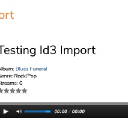
I have just imported audio here with no issues, so you've got something wrong - you're not putting the audio files in the directory you're saying they are in, they are not readable by the web user, they are not tagged correctly, etc.

There's no issue in the tool so it's something on your server.
Voila_Capture 2018-02-13_12-22-34_PM.jpg Voila_Capture 2018-02-13_12-22-34_PM.jpg - 163KB
brian
@brian
02/13/18 10:47:41AM
10,158 posts

Groups Sidebar Question


Using Jamroom

Should be item_detail.tpl
brian
@brian
02/13/18 10:10:20AM
10,158 posts

Groups Sidebar Question


Using Jamroom

Like most everything in Jamroom what you "see" is controlled by templates, so yes - you would need to customize the templates in modules/jrGroup/templates to suit your needs.

https://www.jamroom.net/the-jamroom-network/documentation/module-developer-guide/1051/altering-a-modules-template
brian
@brian
02/13/18 10:08:23AM
10,158 posts

How to move a production site to a staging server


Installation and Configuration

and note that the directory is wrong:

/home/rough/public_html

versus:

/home/americandriller/public_html

You want to be careful here that you don't accidentally mess up your live site.
brian
@brian
02/13/18 10:07:31AM
10,158 posts

How to move a production site to a staging server


Installation and Configuration

This is not a Jamroom file:

/home/rough/public_html/store/system/startup.php

It looks like you've done something custom to include a different script in your Jamroom init - it's looking for that file and not finding it.
brian
@brian
02/13/18 09:51:48AM
10,158 posts

How to move a production site to a staging server


Installation and Configuration

So it's getting a 500 error - that means one of 2 things:

- either the Apache configuration for the domain is wrong (i.e. mod_rewrite is not allowed, mod_php is not configured, etc) OR
- there are PHP files missing from the install

Log in via FTP and go to the public_html/data/logs directory and download the "error_log" file - newest entries are at the bottom - that will tell us what the issue is.
  80