hiding profile info on my Profile Forum pages (again)
Using Jamroom
Ilker, you are using a profile forum for your site's forums, right?
If so- did you create a profile that 'owns' all the site forums, like I did?
If so- you might want to have that forum profile be in its own specific Quota...and you can create that new 'forums' quota by cloning it off of your Master Admn quota (to give it all needed powers when you log in as that profile). Then you can move the forums profile into that quota and make a few changes to it that you would not want to do on your master admin quota. Such as:
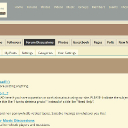
Go to your Youtube module (ACP) and the quota config tab there- and turn OFF "allow on profile" checkbox in the Forums Quota. That would remove the Youtube TAB from the Forums profile page. Do the same with other modules that have TABS showing that you don't want for your forums profile...blog module, Audio, etc. Obviously, do NOT do it for the jrprofile Forum module.
Once all this is done and you've reset cache, log OUT as admin and log IN as a regular test member, and go to the profile page of your forum's profile page. You should see maybe only the "discussions" tab, which is normal. But you shouldn't see any profile tabs or sidebar when you go to a forum discussion.
Remember- once you log back IN as Admin quota, you will again see ALL the tabs on that profile page for forums...because as admin you see everything. If you as admin 'own' that forums profile, you'll see all your own tabs there on the forumsprofile page. You'll see that as the owner of any profile you create from your master admin user account, or if that profile is a member of an admin type quota. If you want to see what your members (nonadmins) see, create a test member by signing up as if you were a regular person browsing the web. Then make sure that test member is in the regular member quota. To see what reg members see, log OUT as admin and log IN as the test member- you won't see all the same tabs that you do as admin.