Forum Activity for @strumelia

Strumelia
@strumelia
09/14/16 07:07:59AM
3,605 posts

What causes a Youtube video to show the embed code instead of the video?


Using Jamroom

Les- you can run the image downsizer tool with the 'test run' checkbox checked first for each feature to see if it's going to be a lot or a little. Also, in your case I'd run it with a high size reset pixel number first, and look at the results, before downsizing the images further- maybe a step at a time until you are satisfied with the storage savings on your server.
Strumelia
@strumelia
09/13/16 08:32:55PM
3,605 posts

What causes a Youtube video to show the embed code instead of the video?


Using Jamroom

I suspect you have by now realized just how much more design options, total control, and flexibility you now have on your Jamroom site ...as opposed to your old Ning site. ;)
Strumelia
@strumelia
09/13/16 06:58:14PM
3,605 posts

What causes a Youtube video to show the embed code instead of the video?


Using Jamroom

Elise, a space saving tip:
Under your Core Modules, go to Image Core, then Tools/resize item images.
Pick the images residing on your site in various locations (dropdown menu) and reduce them in size to whatever. I've used a max of 960 pixels max for the images in every feature. If you go through them all, it will downsize all the accumulated images that your ning members added over the years...every time they added a 5MB photo of their dog...poof! you can reduce the size by half or 3/4 and it still looks the same, to me anyways. I comb through all my site images every 6 months or so to do this reducing.
There are several other ways to limit the size and numbers of items your members can add to your site.
Strumelia
@strumelia
09/13/16 06:14:29PM
3,605 posts

Data Browser truncates out Timeline profile id #s that i need


Using Jamroom

When I delete items from my Databrowser, it's often impossible to figure out which member added the item I am trying to delete, which makes it confusing.

In the drop down menu, if you look under Vimeo it's pretty easy to see which member posted or commented on the video- the video title and the member's name is shown. Not a problem in the Forum section either- there is some text excerpt from the post you want to delete.

But if you go to Timeline drop down to delete stuff from the Main Hme page activity feed, it doesn't give you much to go by, and the one clear piece of info you'd need to delete the right item is the profile_id number of the person who posted it- and that's often truncated OUT and it won't appear by stretchng your browser window or highlighting or anything.
See my screenshot. Makes it real hard to delete the right comment form the Timeline, and that seems to be the location where I most frequently need to delete an item from the data browser. Often when I've removed something I don't want to be seen by other members and i want to remove the thing from the Main Page activity feed immediately without waiting for caches etc to catch up.
Can this databrowser Timeline truncated entry be wrapped or something instead of getting cut off whenever I seem to really NEED that profile_id number?
Thanks! See screenshot..

timelinebrowser.jpg timelinebrowser.jpg - 408KB

updated by @strumelia: 12/16/16 04:01:07PM
Strumelia
@strumelia
09/13/16 05:42:46PM
3,605 posts

How do I remove items so they don't show in a profile "latest activity"


Using Jamroom

Elise, be careful in the Batch Edit module- i screwed up once in there in a big way.

Are there a whole lot of these timeline entries that you need to delete? If it's only a few dozen, you can easily delete them via your Data Browser, ..and go to the DROP down menu there for "Timeline":
yoursite.com/timeline/dashboard/browser

Deleting stuff from the Timeline there will be safe, especially if you know the profile_id #.
Strumelia
@strumelia
09/13/16 05:05:23PM
3,605 posts

What causes a Youtube video to show the embed code instead of the video?


Using Jamroom

Oh, the images were all screenshots with long titles and dashes: --
Here let me try this I bet it will work, thanks!
For Elise, to go with my above post:
test.jpg test.jpg - 141KB
Strumelia
@strumelia
09/13/16 05:01:33PM
3,605 posts

Adding a Forum to a new profile


Installation and Configuration

OMG Holly! This is the first time I've seen this compare tool for quotas! D'ohhhh!!!
It's AWESOME and so incredibly useful!!! Thank you so much...
found at: http://(yoursite).com/profile/quota_compare

:)

updated by @strumelia: 09/13/16 05:01:52PM
Strumelia
@strumelia
09/13/16 04:29:44PM
3,605 posts

What causes a Youtube video to show the embed code instead of the video?


Using Jamroom

trying again to attach a .jpg ...

OK, anyone from the JR Team can figure out why i suddenly cannot attach any images to my posts here?
I've now tried the image asa .jpg, a .png, a .tif, and a .bmp. Keep getting errors telling me I need to attach only images that are .jpg, .bmp, .png, etc. Frustrating.
Strumelia
@strumelia
09/13/16 04:24:38PM
3,605 posts

What causes a Youtube video to show the embed code instead of the video?


Using Jamroom

Your
[jrEmbed module="jrYouTube" youtube_id="KehmUMERlJQ"]
link seems correct- that's the kind of link I get when embedding a YT video into a discussion post.
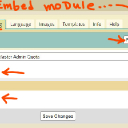
Did you make sure to ENABLE the Embed media function for all the quotas you want to allow that ability for, in the jrEmbed module Global Config tab? see here:
(hmmm, I can't seem to attach either a jpg or a .png of my screenshot... ! Let me try again in a new post...
Strumelia
@strumelia
09/12/16 08:03:49PM
3,605 posts

New Jamroom Hosting Features Questions


Jamroom Hosting

Thank you Michael! Very clear, I understand. :)

Will open a new thread if I proceed and have more questions about the setup.

Happy dance!
  137