Forum Activity for @strumelia

Strumelia
@strumelia
06/08/16 08:57:54PM
3,605 posts

How to limit LENGTH of gallery names & Image names?


Using Jamroom

Sorry- I am being called away and have to get back to this thread tomorrow, it's midnight.
Thanks for your help so far!
(I didn't think the ".jpg" thing was connected to the wrapping/truncating issue, thus I haven't started a separate thread for both. :( )
Strumelia
@strumelia
06/08/16 08:48:22PM
3,605 posts

How to limit LENGTH of gallery names & Image names?


Using Jamroom

-how can I keep my code frombeing cut off on the right here when quoting it? :(
Strumelia
@strumelia
06/08/16 08:46:14PM
3,605 posts

How to limit LENGTH of gallery names & Image names?


Using Jamroom

Well, I've got this in my jrGallery_index.tpl:

{jrCore_include template="header.tpl"}

{capture name="template" assign="tpl"}
{literal}
    {jrCore_module_url module="jrGallery" assign="murl"}
    {if isset($_items)}
    <div class="container">
        {foreach from=$_items item="item"}
        {if $item@first || ($item@iteration % 6) == 1}
        <div class="row">
        {/if}
            <div class="col2{if $item@last || ($item@iteration % 6) == 0} last{/if}">
                <div class="img-profile">
                    <a href="{jrGallery_get_gallery_image_url item=$item}" title="{$item.gallery_alt_text}">{jrCore_module_function function="jrImage_display" module="jrGallery" type="gallery_image" item_id=$item._item_id size="large" crop="auto" class="iloutline img_scale" alt=$item.gallery_image_name title=$item.gallery_alt_text}</a><br>
                </div>
                <div class="center mb10">
                    <a href="{jrGallery_get_gallery_image_url item=$item}" title="{$item.gallery_alt_text}" class="bold">{if isset($item.gallery_image_title)}{$item.gallery_image_title|truncate:30:"...":false}{else}{$item.gallery_image_name|truncate:30:"...":true}{/if}</a><br>
                    <a href="{$jamroom_url}/{$item.profile_url}/{$murl}/{$item.gallery_title_url}/all" class="media_title">{$item.gallery_title}</a><br>
                    <a href="{$jamroom_url}/{$item.profile_url}" style="margin-bottom:10px"><span class="capital">@{$item.profile_url}</span></a>
                </div>
            </div>
            {if $item@last || ($item@iteration % 6) == 0}
        </div>
        {/if}
        {/foreach}
    </div>
    {/if}
{/literal}
{/capture}

<div class="block">

    <div class="title">
        {jrSearch_module_form fields="gallery_title,gallery_image_title,gallery_caption,gallery_description,gallery_image_name"}
        <h1>Photos</h1>
    </div>

    <div class="block_content">
        <div class="item">
            <div class="container">
                <div class="row">
                    {jrCore_list module="jrGallery" order_by="_item_id desc" require_image="gallery_image" pagebreak=60 page=$_post.p pager=true template=$tpl}
                </div>
            </div>
        </div>
    </div>

</div>

{jrCore_include template="footer.tpl"}

updated by @strumelia: 06/08/16 08:47:42PM
Strumelia
@strumelia
06/08/16 08:33:43PM
3,605 posts

"My Posts" isn't really my posts.


Using Jamroom

They're not really 'my' threads either- i didn't start those discussions. The problem this creates is that the tab is way more visible and more intuitive to click on, thinking you're going to actually see your posts...which you don't. Honestly, it never occurs to me to click on the total post number under people's avatars to search through their posts. I know it 'should' occur to me...but it doesnt. And I think a lot of folks must experience the same as I do. At least among my non-savvy members, anyway.

Is there a way that I can on my site, have the link for the TAB "My posts" take a member to the very SAME list (of their own posts) that they would see if clicking on the total post number under their own avatar in a forum?
Strumelia
@strumelia
06/08/16 08:26:24PM
3,605 posts

How to limit LENGTH of gallery names & Image names?


Using Jamroom

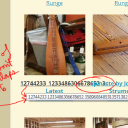
...and here is a long image title that obediently wraps and gets cut off with "..." when it gets too long. That's what I want for all the long image titles showing in my /gallery page grid. See it here:
2.jpg 2.jpg - 329KB
Strumelia
@strumelia
06/08/16 08:24:44PM
3,605 posts

How to limit LENGTH of gallery names & Image names?


Using Jamroom

Ok I've set the Gallery title length limit in the form designer- thank you!! First issue solved. :)

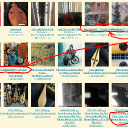
Now, I can live with som eof the longer images titles, but they look so awful overlapping in the site's main Gallery grid- as in my first above screenshot.

Can i just solve the wrapping problem maybe?

here is the kind of image title that will NOT wrap on my site /gallery page:
1.jpg 1.jpg - 255KB
Strumelia
@strumelia
06/08/16 07:40:08PM
3,605 posts

How to limit LENGTH of gallery names & Image names?


Using Jamroom

Ok will do this!
Michael- how will this effect all the previous galleries retroactively though?

How about for individual image titles? what about members who are uploading photos with incredibly long names?
Strumelia
@strumelia
06/08/16 07:37:23PM
3,605 posts

"My Posts" isn't really my posts.


Using Jamroom

Ok, I see that I get a showing of my actual posts history is I click on the hotlink post number underneath my avatar for each post I made on this page in this discussion. Yes that's good, it takes me to https://www.jamroom.net/forum/activity/1045/strumelia

however.... when you say "My Posts should be the posts that YOU started - not every topic you have been involved in - or at least I believe that is how it has been.".... well when i click on the My Posts TAB ( in the line of tabs up top here that read Forum/NewestPosts/myposts/yoursettings ....then I get this (see attached), which are the topics I've been involved with, not 'my posts':
my_posts.jpg my_posts.jpg - 191KB
Strumelia
@strumelia
06/08/16 07:28:28PM
3,605 posts

How to limit LENGTH of gallery names & Image names?


Using Jamroom

Please see the attached screenshot.
Where/how do i LIMIT the length of the titles that my members can assign to their uploaded gallery Images, and also the titles of the Galleries they are making up?
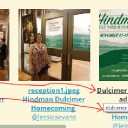
The names they are choosing for both images AND galleries are often waaaay too long and causing overlap and/or just are plain annoying. One member recently titled his new Gallery (consisting of ONE photo): "Small Herd Of Elk (Wapiti) Taken At 7:00 A.M. On April 12. 2016 Just East Of My House With My I Phone" Um, yikes...!

I don't want to simply make the name trail off into "...." in the gallery page after a certain length....i really want to limit the length they can type in to begin with, because some folks are writing novels for their titles and I hate how it looks everywhere. =8-\

The other important side of this issue is- if I can do this, will it effect retroactively the images and galleries that are already on my site? Or will it simply begin to take effect from the time i make the change and then going forward? I don't want to mess up thousands of my members gallery images...they'd kill me! lol

thanks for any help.

(Another issue I have is that about 1/2 of the member gallery images come with ".jpg", ".JPG", or even ".JPG.jpg" still included on the end of their image name on my site's main /gallery page grid: http://fotmd.com/gallery/p=3 ....which adds unnecessary title length and looks really lame....but I'll create another thread asking how I can possibly sort that out.)
fotmd.com_gallery.jpg fotmd.com_gallery.jpg - 774KB

updated by @strumelia: 09/09/16 03:47:37PM
Strumelia
@strumelia
06/08/16 06:40:27PM
3,605 posts

"My Posts" isn't really my posts.


Using Jamroom

It's this way both on my site and here on jamroom.net...
When in the Forums, if I click on the Tab called My Posts, it doesn't actually show me my posts...instead it just shows me discussions that I've posted in ...I've posted 'somewhere' in the discussion (my post could be buried on page 8 of that discussion, for example). It means to actually see 'my posts' I will have to drill down and search through those discussions page by page.

On most other sites clicking on My Posts will actually show you a long list of your most recent posts (maybe including a snippet of the first sentence you wrote, and the name of the discussion), which is extremely useful when looking for something you said several weeks ago. - Wouldn't most people would want it this way?
I've had this on a To Do list for a long time now but just now found the time to ask about this.

Any way to re-focus "My Posts" to really show 'my posts'? Thanks!

updated by @strumelia: 09/08/16 08:10:19PM
  147