Forum Activity for @strumelia

Strumelia
@strumelia
10/14/15 02:48:51PM
3,605 posts

Question regarding text editor and quoting


Using Jamroom

Perry, I was able to add a 'quote' button to the JR Tinymce editor, but it doesn't really do us any good. It will indent any text YOU paste in or type into your text posting box... then select that text and hit quote button and it simply gets indented... but the 'indent' button we have already will do that anyway.

Because of how things are set up in Group discussions, you can't pull a quote from a previous post with the poster's name ("Sally wrote..."). So, adding the quote button into our text editor won't do much for us in Group discussions. What we could really use is the hover-option to quote that we currently have in Forum discussions, to get at least that same function in our Group discussions. Then we would get the "quote="Strumelia"" attribution and a complete auto quote that can then be trimmed to the significant part needed.

updated by @strumelia: 10/14/15 02:50:57PM

Strumelia
@strumelia
10/14/15 07:22:30AM
3,605 posts

Question regarding text editor and quoting


Using Jamroom

Michael, you tested it in a Forum discussion post.
The problem occurs in GROUP discussions.
When we hover over a previous post in a group discussion, we get the edit gear, the trashcan, ...but no quote icon. And there's no quote button in the tinymce editor either, so we're sort of stuck doing awkward workarounds when we want to quote from a previous post...which of course happens often in discussions.

(So again I'm guessing the fact that group discussion posts are in fact a form of 'comments' instead of true forum type posts gets in the way, as Gary alluded to.)

So Perrie's original question about tinymce would solve the issue no matter where it occurs- in forums or groups. But if we could have the hover quote in group discussions, it would also solve the issue.
updated by @strumelia: 10/14/15 07:24:45AM
Strumelia
@strumelia
10/14/15 07:15:44AM
3,605 posts

My posts not showing in Timeline viewed by others?


Using Jamroom

Thank you so much Michael! I'm so looking forward to this getting activated, it will really stimulate my site's interaction level! Wish i had noticed this long ago.

Is it fixed so that -ALL- quotas's posts will be seen in Index page activity timeline, as long as the quota is checked to be able to use forums? ...Or did you add the fix specifically/only for the admin users (meaning I should check on all the other quotas as well)?

Note: "Only happens if the profile where the forum is is not the admins home profile. If the forum is on the admin's home profile then the activity will be shown in the timeline. "
-Just so you know in case it makes any difference, my site-wide forum is located in a profile i created to house the forums, a profile named "Forums".
Strumelia
@strumelia
10/13/15 08:48:23PM
3,605 posts

My posts not showing in Timeline viewed by others?


Using Jamroom

I always thought that it was simply that admin users would not SEE their own forum posts in the main page timeline...but that non-admin users WOULD see them. I had no idea that NOBODY would see those hundreds of forum posts.
(my moderators are all profile-admins). Wow, I really need for the 7 most pro-active people on my whole site site to have their forum posts show up in the Latest Activity feed on the main page.
-and Why would one to hide such helpful and supportive forum communications?

(note- I have it tweaked so that 'comments on profile pages' and 'new follower' notices do NOT show up on the Latest Activity feed, and I'm assuming/hoping that would not change if Admin forum posts were allowed to show.)

Thanks for looking into this...I think it's pretty important, for my site anyway.
Strumelia
@strumelia
10/13/15 05:29:00PM
3,605 posts

Newsletter refined function? or PMs to multiple selected members?


Using Jamroom

Well, if you're talking about adding the function to the existing Newsletter system...I like the way the private notes system handles selecting a recipient- you begin typing the member name and auto-complete starts giving you a list of members you can choose from without having to type the entire name. Then you might click on "+add more" and get the same field to start typing in another user name...and add them.
Any way you look at it, one would need to specifically select or add certain member names if not simply sending the newsletter to an entire quota.
Moving members out of their quota simply to send them a message, and then return them again... is not practical. What if their quota gives them various privileges or abilities, and they suddenly have those taken away while you are getting ready to send them a newsletter?
Sometimes you just gotta send a message to a dozen or 3 dozen people about something...and doing it one. at. a. time. seems a little primitive. ;)
Strumelia
@strumelia
10/13/15 05:15:52PM
3,605 posts

My posts not showing in Timeline viewed by others?


Using Jamroom

Michael, I just checked on this again, and there is definitely a problem.
All my quotas have "Can post to forums" checked in the profile_forum module. (note: intentionally, the only profile with "allow profile forum" checked though is the profile for Forums)

When i log in as a 'regular' test member, I do not see ANY forum posts made by my 6 moderators OR Admin (myself) showing on the main page Latest Activity feed. This must surely be effecting my site, since the 7 of us do a whole LOT of posting that stimulates activity and encourages others.
I never noticed it before because I'm usually signed in as myself or as a moderator, and thus I don't expect to see my own posts in the activity feed then anyway. But all the other members SHOULD be seeing them! =8-o

Do I have a setting wrong somewhere?
Strumelia
@strumelia
10/13/15 03:40:38PM
3,605 posts

How can I disable AdminHoverMenu only on my (android) phone?


Using Jamroom

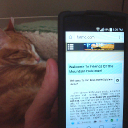
...and here's the phone now with the admihover disabled (whew, it was driving me batty!)
android.jpg android.jpg - 366KB
Strumelia
@strumelia
10/13/15 03:39:41PM
3,605 posts

How can I disable AdminHoverMenu only on my (android) phone?


Using Jamroom

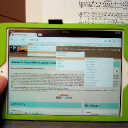
OMG, it works GREAT! Thanks so much, I love it! This adds so many options for when i'm traveling, because you can see how well the menus work on my little iPad mini...see attachment.
And then I'll post how it's now disabled nicely on my Android phone.
YAAAAY! You're the greatest.
iPad-mini.jpg iPad-mini.jpg - 385KB
Strumelia
@strumelia
10/13/15 03:12:39PM
3,605 posts

How can I disable AdminHoverMenu only on my (android) phone?


Using Jamroom

hold on, let me do integ check and then test it.
Strumelia
@strumelia
10/13/15 09:33:29AM
3,605 posts

How can I disable AdminHoverMenu only on my (android) phone?


Using Jamroom

I love using this module all the time, but can I disable this module only on my Android phone...but not disable it on my iPad (iOS)?
I would like to be able to continue using it when on my iPad (it's reeeally handy), but on my Android phone the links completely cover over my normal mobile hamburger menu, making it really hard to simply navigate around on my site as Admin when on my Android phone. I cannot click on my hamburger menu because of it. (my iPad has normal navigation bar site links, so it's not effected by this issue)

I assume this would be done in the module's only template, admin_menu.tpl ? Help please?

updated by @strumelia: 01/12/16 12:43:25AM
  193