Forum Activity for @strumelia

Strumelia
@strumelia
09/08/15 07:03:34AM
3,605 posts

how does a member email a photo to their photo section?


Using Jamroom

To be frank, I doubt many of my members actually need this to be built, at least for now.
I just needed to tell that member how to add a photo to his gallery via his phone, so if he responds that he can indeed do so with the 'usual' method you described above, then I'm good with that. The situation might change in a couple of years, who knows.
I'm waiting to hear back from him about whether he can do it the way we suggested now.
Strumelia
@strumelia
09/08/15 06:59:03AM
3,605 posts

embedded Vimeo vids crashing new Firefox on windows...anyone else?


Off Topic

Yes, I'm agreeing with that Douglas. Prime suspect is FF. That's sort of why i posted this in "off topic", too. Hopefully they will fix it soon, apparently it's getting some notice as a crash issue.
Strumelia
@strumelia
09/07/15 12:00:52PM
3,605 posts

how does a member email a photo to their photo section?


Using Jamroom

Thanks Michael- makes total sense!
I have passed this onto the member and will wait to hear back if he is successful before resolving this thread. :)
Strumelia
@strumelia
09/07/15 11:58:54AM
3,605 posts

Newsletter refined function? or PMs to multiple selected members?


Using Jamroom

Since we cannot send out Private Notes to more than one user or profile at a time...
Is there a way to refine the Newsletter module to allow us admins to compose and send out a newsletter to a group of profiles we hand select? Instead of having to send a newsletter to entire quota(s).

Somehow or another, we Admins could sure use a way to send messages, announcements, invites, or info to a selected group of members without having to send it out to one person at a time, multiple times....and without having to transfer bunches of members in and out of quotas every time we want to send a message to certain bunches of people that might change. (hence not leaving them in a defined quota)

Even BETTER would be to give the Private notes module a quota-controlled option to select/send to multiple users- so that we could choose having ONLY ADMINS have that feature, and still prevent members from sending out PMs to more than one member at a time if we like (and set like that by default).

updated by @strumelia: 01/13/16 10:03:11AM
Strumelia
@strumelia
09/07/15 11:27:43AM
3,605 posts

Auto-follow set after posting in a discussion. Other options?


Using Jamroom

Hmm... I see that as a regular member, i am not automatically getting set to 'Follow" any forum or group discussion merely because I post in it. Just as you said, Michael.
I'm wondering why this member keeps saying she has to purposely turn OFF the yellow Follow button each time she posts in a discussion, or else she keeps getting unwanted notifications... ?
And then, I STILL have some of my moderators and regular members who have ALL notifications set to ON/EMAIL... and they still aren't getting all their notifications properly. Yet they get all emails from me just fine, coming from the from same site address.
Driving me nuts, really.
Strumelia
@strumelia
09/07/15 11:00:42AM
3,605 posts

Auto-follow set after posting in a discussion. Other options?


Using Jamroom

Let me do a couple of tests, as a regular member. Then I'll get back here.
Strumelia
@strumelia
09/07/15 10:51:45AM
3,605 posts

Where do I edit the text of this notification?


Using Jamroom

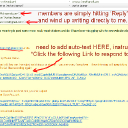
Lately, I'm getting misdirected emails from members who 'think' they are responding to other member's comments on their stuff. But they get a notification that someone left a nice comment, and they simply hit "Reply", saying Thanks and other personal stuff- and it gets sent to me instead at my site email that sent the notification. The problem is they are ignoring the rather intimidatingly long Link that would take them to where they SHOULD be responding.
There is no instruction in the email saying "Click the following Link to Respond to this member's comment"...which should be right above the Link in the email. If you look at the links lower down, they each have instructions as to what the links are for/where they will take you.

I've been looking for this auto-text template for this type of notification, but I can't find it.
Where can I add this instruction. which will make it clearer to members to click the Respond Link instead of just hitting Reply to the site email?
See this screenshot, it shows what I receive after a member simply hits Reply instead of clicking the link, and it shows how the link is not really explained or pointed out properly:

email-text-add.jpg email-text-add.jpg - 449KB

updated by @strumelia: 10/09/15 07:29:36AM
Strumelia
@strumelia
09/07/15 05:33:46AM
3,605 posts

Can't Delete any of my Forum Categories?


Using Jamroom

Interesting! So, I transferred the last remaining post (which I could not seem to simply delete) to another category, and it ...disappeared. ?!
Kind of strange behavior, but it worked, so.. thanks!

Update- it didn't 'disappear'- instead, it took a whiole to show up in the category I transferred it to. I found it there later and deleted it.
Issue resolved, thanks!


updated by @strumelia: 09/07/15 10:44:06AM
  200