Forum Activity for @strumelia

Strumelia
@strumelia
08/30/15 10:18:25AM
3,605 posts

How to copy n paste text on jamroom ?


Using Jamroom

Oh, i should maybe again post the original code before I tested anything new, and is now what I have reverted back to, which results in the button array as in the previous screenshot:
{jrCore_module_url module="jrCore" assign="murl"}
tinymce.init({
    body_id: "{$form_editor_id}",
    content_css: "{$jamroom_url}/skins/{$_conf.jrCore_active_skin}/css/tinymce.css",
    toolbar_items_size : "small",
    element_format: "html",
    autoresize_bottom_margin: "3",
    keep_styles: false,
    theme: "{$theme}",
    selector: "textarea#{$form_editor_id}",
    relative_urls: false,
    remove_script_host: false,
    convert_fonts_to_spans: true,
    menubar: false,
    statusbar: false,
    paste_as_text: true,
    entity_encoding: "raw",
    height: "100%",
    image_advtab: true,
    plugins: "contextmenu,pagebreak,{if $jrsmiley}jrsmiley,{/if}{if $jrembed}jrembed,media{/if},image,autoresize,{if $table}table,{/if}link,code,fullscreen,textcolor,colorpicker,preview",
    toolbar1: "formatselect | fontselect forecolor {if $strong} bold{/if}{if $em} italic{/if}{if $span} underline{/if} | {if $span || $div} alignleft{/if}{if $span || $div} aligncenter{/if}{if $span || $div} alignright{/if}{if $span || $div} alignjustify |{/if}{if $ul && $li} bullist numlist |{/if}{if $div} outdent indent |{/if} undo redo | link unlink anchor pagebreak{if $table} table{/if} | {if $hr} hr{/if}{if $sub && $sup} | sub sup {/if} | code preview fullscreen{if $jrembed || $jrsmiley} |{/if}{if $jrembed} jrembed{/if}{if $jrsmiley} jrsmiley{/if}",
    contextmenu: "link image | cut copy paste"
});

updated by @strumelia: 08/30/15 10:19:30AM
Strumelia
@strumelia
08/30/15 10:10:34AM
3,605 posts

How to copy n paste text on jamroom ?


Using Jamroom

No, did not work for me.
Went to my ACP -> SKINS -> YOUR SKIN -> TEMPLATES -> jrCore_form_editor.tpl

and substituted in code, and tested both with leaving IN this bottom code line:
contextmenu: "link image | cut copy paste"
and also with removing that last line altogether. Did integ checks each time to view results.
So the following is the code I tried for the "plugins" and "toolbar1" parts of the template:
plugins: "pagebreak,{if $jrsmiley}jrsmiley,{/if}{if $jrembed}jrembed,media{/if},image,autoresize,{if $table}table,{/if}link,code,textcolor,colorpicker,preview,spellchecker"
    toolbar1: "formatselect | fontselect forecolor {if $strong} bold{/if}{if $em} italic{/if}{if $span} underline{/if} | {if $span || $div} alignleft{/if}{if $span || $div} aligncenter{/if}{if $span || $div} alignright{/if}{if $span || $div} alignjustify |{/if}{if $ul && $li} bullist numlist |{/if}{if $div} outdent indent |{/if} undo redo | link unlink anchor pagebreak{if $table} table{/if} | {if $hr} hr{/if}{if $sub && $sup} | sub sup {/if} | code preview{if $jrembed || $jrsmiley} |{/if}{if $jrembed} jrembed{/if} {if $jrimage} image{/if} {if $jrsmiley} jrsmiley{/if} | spellchecker"

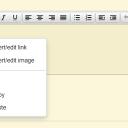
For both Forums discussion posts and Groups discussion posts, I got blank text boxes like the attached image...
When i reset the template as before, my tinymce editor buttons all reappeared again as they were before, unchanged.


image2.jpg image2.jpg - 19KB

updated by @strumelia: 08/30/15 10:15:36AM
Strumelia
@strumelia
08/30/15 08:52:25AM
3,605 posts

Cometchat setup


Using Jamroom

Nope, I had the same experience, and so did my moderator on her iPad. It does not seem to recognize or accept my site URL despite my being logged in as site owner. Annoying.


updated by @strumelia: 08/30/15 08:53:22AM
Strumelia
@strumelia
08/28/15 07:28:32PM
3,605 posts

How to copy n paste text on jamroom ?


Using Jamroom

Oh wow, yes I do have that template in my skin, and yes I can apply the changes and test it!
But....I have to go to bed right NOW, got a big day tomorrow- cannot test this til Sunday! :(
The suspense will be killing me, but I must get to sleep! THANK YOU!
Will check back here with the test on sunday. :D
Strumelia
@strumelia
08/28/15 07:14:39PM
3,605 posts

How to copy n paste text on jamroom ?


Using Jamroom

Michael, i got rid of the two commas, and saved again. Did full integrity check.
I'm the only member of my site who can make blogs, so I checked to go edit one of my own blog posts. Alas, the eidtor looks exactly like the other one still, in my prior screenshot taken from a Forum discussion post.

Am trying to get rid of the 'fullscreen' and 'contextmenu', and trying to add the Image (mountain pic icon), and tested adding spellchecker (not expecting much from that though)...overall I'm hoping to enable copy/paste on right-click by removing context_menu.
Thanks for your help- I won't be online much tomorrow Saturday, will be back on sunday.
Strumelia
@strumelia
08/28/15 11:32:42AM
3,605 posts

How to copy n paste text on jamroom ?


Using Jamroom

The editor looks the same both before and after the above code changes... huh? It feels like I must be fiddling around in the wrong place? How can I have done so many changes in the code and have it still look exactly the same?

tinymce.jpg tinymce.jpg - 184KB

updated by @strumelia: 08/28/15 11:33:59AM
Strumelia
@strumelia
08/28/15 11:30:11AM
3,605 posts

How to copy n paste text on jamroom ?


Using Jamroom

OK, I tried to do this simply, then tried more complex, nothing seems to make a bit of difference in how my tinymce editer menus or toolbars look or function. :(

Here is my original form_editor.tpl:
{jrCore_module_url module="jrCore" assign="murl"}
tinymce.init({
    body_id: "{$form_editor_id}",
    content_css: "{$jamroom_url}/{$murl}/css/{$murl}/jrCore_tinymce.css?v={$_mods.jrCore.module_version}",
    toolbar_items_size : "small",
    element_format: "html",
    autoresize_bottom_margin: "3",
    keep_styles: false,
    theme: "{$theme}",
    selector: "textarea#{$form_editor_id}",
    relative_urls: false,
    remove_script_host: false,
    convert_fonts_to_spans: true,
    menubar: false,
    statusbar: false,
    paste_as_text: true,
    entity_encoding: "raw",
    height: "100%",
    image_advtab: true,
    plugins: "contextmenu,pagebreak,{if $jrsmiley}jrsmiley,{/if}{if $jrembed}jrembed,media{/if},image,autoresize,{if $table}table,{/if}link,code,fullscreen,textcolor,colorpicker,preview",
    toolbar1: "formatselect | fontselect forecolor {if $strong} bold{/if}{if $em} italic{/if}{if $span} underline{/if} | {if $span || $div} alignleft{/if}{if $span || $div} aligncenter{/if}{if $span || $div} alignright{/if}{if $span || $div} alignjustify |{/if}{if $ul && $li} bullist numlist |{/if}{if $div} outdent indent |{/if} undo redo | link unlink anchor pagebreak{if $table} table{/if} | {if $hr} hr{/if}{if $sub && $sup} | sub sup {/if} | code preview fullscreen{if $jrembed || $jrsmiley} |{/if}{if $jrembed} jrembed{/if}{if $jrsmiley} jrsmiley{/if}",
    contextmenu: "link image | cut copy paste"
});

and here is what I wound up with after a bunch of attempts:
{jrCore_module_url module="jrCore" assign="murl"}
tinymce.init({
    body_id: "{$form_editor_id}",
    content_css: "{$jamroom_url}/{$murl}/css/{$murl}/jrCore_tinymce.css?v={$_mods.jrCore.module_version}",
    toolbar_items_size : "small",
    element_format: "html",
    autoresize_bottom_margin: "3",
    keep_styles: false,
    theme: "{$theme}",
    selector: "textarea#{$form_editor_id}",
    relative_urls: false,
    remove_script_host: false,
    convert_fonts_to_spans: true,
    menubar: false,
    statusbar: false,
    paste_as_text: true,
    entity_encoding: "raw",
    height: "100%",
    image_advtab: true,
    plugins: "pagebreak,{if $jrsmiley}jrsmiley,{/if}{if $jrembed}jrembed,media{/if},image,autoresize,{if $table}table,{/if}link,code,textcolor,colorpicker,preview,spellchecker",
    toolbar1: "formatselect | fontselect forecolor {if $strong} bold{/if}{if $em} italic{/if}{if $span} underline{/if} | {if $span || $div} alignleft{/if}{if $span || $div} aligncenter{/if}{if $span || $div} alignright{/if}{if $span || $div} alignjustify |{/if}{if $ul && $li} bullist numlist |{/if}{if $div} outdent indent |{/if} undo redo | link unlink anchor pagebreak{if $table} table{/if} | {if $hr} hr{/if}{if $sub && $sup} | sub sup {/if} | code preview{if $jrembed || $jrsmiley} |{/if}{if $jrembed} jrembed{/if} {if $jrimage} image{/if} {if $jrsmiley} jrsmiley{/if} | spellchecker",}); 
Note that I experimented with removing all "contextmenu" stuff, tried to remove "fullscreen" plugin, tried to add Image and Spellchecker(for good measure).

reset cache and icons. saved everything.
Before and after of the text editor shows none of those changes at ALL, plus I still get the copy/paste context menu that won't let me: "Your browser doesn't support direct access to the clipboard. Please use the Ctrl+X/C/V keyboard shortcuts instead.":
Strumelia
@strumelia
08/27/15 08:03:20PM
3,605 posts

Error on profile names


Installation and Configuration

I just now had a new user join up, get approved under one username, and a few minutes later I found I could not access their profile page- PageNotFound. Turns out they had immediately changed to a different username with an underscore in the middle. I then accessed it through the user account browser, went under "modify", and removed the underscore, replaced with a space. Then all was well. But I'm thinking members should not be able to submit a name with an underscore at all...?
Strumelia
@strumelia
08/27/15 07:58:17PM
3,605 posts

How to copy n paste text on jamroom ?


Using Jamroom

Ok I will dive into this when i get a chance hopefully tomorrow. I appreciate your clear instructions!
(everything is a 'project' for me and I have to always proceed carefully, but eventually I get there...oy)
Strumelia
@strumelia
08/27/15 07:36:55AM
3,605 posts

How to copy n paste text on jamroom ?


Using Jamroom

But they'd still be ABLE to insert images into the posts using the image icon button, correct?
  203