Forum Activity for @strumelia

Strumelia
@strumelia
04/24/15 11:48:32AM
3,605 posts

Forum post says no HTML allowed, but quota seems ok


Installation and Configuration

restmin:
It is two screen shits...I just got up and am still waiting for coffee to brew so will follow up soon.

TMI ! l o l o l
Strumelia
@strumelia
04/23/15 04:21:13PM
3,605 posts

recomended server side caching options (linux/centos apache 2.4 newest php)


Installation and Configuration

Uh-oh.
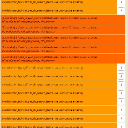
It seems after I did all the new updates I'm getting hundreds of these errors...
A full integrity check didn't help.
activity_log.jpg activity_log.jpg - 235KB

updated by @strumelia: 04/23/15 04:21:35PM
Strumelia
@strumelia
04/23/15 04:17:06PM
3,605 posts

Where are Member's Individual Profile Pages?


Design and Skin Customization

Does your site not work so that when anyone is logged in, they see their member name along the top links bar, at the right? Clicking on your member name link takes you to your profile page. Hovering over your member name link should give you a drop down to your account settings, etc. Your name along the top link bar IS the link to your profile page.

On my site, if I log in (as myself/admin or as a test member) I get taken directly to my profile page, not to the site's Index/Home page. Does that not happen on your site? Try loggin out, then back in.

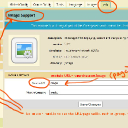
Where 'pages' are: see screenshot it may help. Don't forget, no "s" at the end of yoursite.com/group or yoursite.com/forum !!
admin_info.jpg admin_info.jpg - 312KB

updated by @strumelia: 04/23/15 04:17:29PM
Strumelia
@strumelia
04/23/15 04:01:56PM
3,605 posts

Terms of Service Page


Installation and Configuration

Just a side note on this that might be helpful-
Clay, who recently migrated to JR and built his ChocolateLife site, very kindly told us that we could freely borrow anything useful from his TOS type pages. Might save a bit of time to adapt them to your own site rather than re-inventing the whole wheel. His are here: https://www.thechocolatelife.com/page
Strumelia
@strumelia
04/23/15 01:03:42PM
3,605 posts

Who determines when a profile is active or not active? (and related questions)


Using Jamroom

PJ, these settings are mostly found in your User Accounts module, especially in the tabs of Global Config and Quota Config. Go over all those settings and read the little "?" help tips. It's obvious that you currently have it set for "admin validation"... you must approve the new members before their profile and membership becomes active.

Look in your ACP -> dashboard to see the Pending Members- waiting for your approval before they become active and are then able to post and be seen by other members. You can approve them from there in the dashboard, or simply check that 'active' profile box you saw to approve them. Same thing.

Ultrajam is right- log OUT, then go through the process of creating a new member yourself- using a new (working) email and PW and name. You'll then see how a new member sees the process, and if there are glitches to fix in the process. Keep that test member- it's a handy way of logging in to see what your members see and experience. As an admin, you will always see some things that normal members do NOT see, and that can sometimes be confusing, until you sign in as a test member to check it.
Strumelia
@strumelia
04/23/15 07:08:26AM
3,605 posts

Cometchat


Using Jamroom

Well I hope it gets done as quickly and works as well as the typical module made by the Jamroom Team.
  244