groups not displaying right
Using Jamroom
soaringeagle:
now im so confused
cause strumelia sees heres diferent then i see mine maybe she hasnt upgraded i dont know
but can u post a screenshot of what the groups should look like now
in hers there was no profile sidebar
there was something that said discussions..i have none
and on the side it said pages i dont have that eitther
only comment wall nothing else
oh yea i disablesd profile tweaks as well
no t0op discussions no pages
no way to add a discussion or page
but id also like you to take a look and see if you can find any reason why my sites behaving diferently from strumelias (besides the size diference)
andthe fact that iu think shes never cloined the skin and only did minor changes to the default skin
now im so confused
cause strumelia sees heres diferent then i see mine maybe she hasnt upgraded i dont know
but can u post a screenshot of what the groups should look like now
in hers there was no profile sidebar
there was something that said discussions..i have none
and on the side it said pages i dont have that eitther
only comment wall nothing else
oh yea i disablesd profile tweaks as well
no t0op discussions no pages
no way to add a discussion or page
but id also like you to take a look and see if you can find any reason why my sites behaving diferently from strumelias (besides the size diference)
andthe fact that iu think shes never cloined the skin and only did minor changes to the default skin
Maybe this info will help clarify and help solve the mysteries somehow:
--All my modules, core, and Ningja skin have been kept up to date...1.0.10.
--I have not been using Site Builder at all.
--I have made very few customizations on my site so far- mostly just header links changes, module titles, background page color.
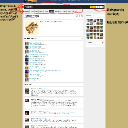
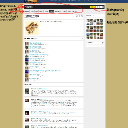
--Attached is my current main Groups page, on Ningja skin (not on a clone), with my notes on what I'd like to see gone as far as the personal profile info of the person who created each group still showing prominently across the top of each Group page.
--I saw a handful of those "modified/reset" indications after the previous Ningja update, but not nearly as many as SE did, and as recommended I reset them, so they are now gone. First I looked at them in Compare and could not see any mods that I had done. So, after restting those few after the last Ningja update, the only "reset" buttons I see now on my current Ningja skin are for the 3 templates I did modify (see my very few and simple mods as described above) and I am seeing my mods accurately in the 'compare' view. So no problems there anymore.
-------
And yes as SE mentions, my problem is with the DevTools skin cloner- I can make a clone of my current modified Ningja skin, and I look at the clone code and it shows all my customizations. BUT- when I ACTIVATE that clone as the active skin, it does NOT show the customizations on my site- it shows the site as though I had a non-customized Ningja skin going. This is frustrating because it means I cannot do as you all suggest, which is clone the skin and only make modifications to the clone, not the main Ningja skin. I cannot do that because I can't set my clone as the active skin since my site won't show my mods when its activated. Thus, I have to keep making modif.'s to my active Ningja skin, not to my cloned skins. I gotta solve this clone problem somehow eventually. I need to be able to make a cloned skin that I can activate and USE, and have the skin's customizations show up on my site. As it is now, I only use the clone to keep a copy of my code modifications, so I can copy/paste them one by one into each new updated Ningja skin version every time Ningja gets updated. --You can ignore this bit about my cloning issue as i'm going to now add it to my thread on that issue in the ning-to-JR forum. But I thought maybe it had some bearing in the groups issue SE is talking about here.
Thanks!
updated by @strumelia: 12/22/16 11:55:59AM