Forum Activity for @michael

michael
@michael
05/15/22 03:40:03AM
7,823 posts

Mass Deleting of Accounts


Using Jamroom

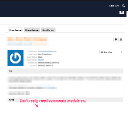
check the checkbox then click DELETE CHECKED USERS from DASHBOARD -> PENDING
pending.png pending.png - 295KB
michael
@michael
05/10/22 10:42:56PM
7,823 posts

Custom Video Tag Player


Design and Skin Customization

Here's the start of a module to get plyr going. Their git code is in the /modules/jrPlyr/contrib/plyr-master folder.

The work player code needs to go into /modules/jrPlyr/templates/jrPlyr_video_player.tpl

You can see that player on the web at:
http://yoursite.test/plyr/demo/video_id=2

Where video_id=2 is a video that exists on your site somewhere. substitute 2 for whatever video actually exists.

That should get you going, if you need it more fleshed out we have the "Sponsor a module" system:
https://www.jamroom.net/the-jamroom-network/documentation/module-developer-guide/4931/sponsor-a-module

To reduce development costs to whoever wants stuff that also benefits the community. Maybe of interest, maybe not.
jrPlyr.zip - 385KB

updated by @michael: 05/10/22 10:43:12PM
michael
@michael
05/10/22 10:04:08PM
7,823 posts

Custom Video Tag Player


Design and Skin Customization

There's two basic concept angles to come at it from:
1) include it as part of your skin.
2) create it as a stand alone module.

The first is probably simpler to get setup but not as flexible the second takes more effort to get setup but is much more reusable/distributable.

An example of it in a skin is: Take a look through the code base search for 'jrPost_video_action_player' You will find it in /skins/jrPost/include.php in the _init() function and also as a file in /skins/jrPost/jrPost_video_action_player.tpl

then in use like this
{jrCore_media_player type="jrPost_video_action_player" module="jrVideo" field="video_file" item_id=$item.action_item_id autoplay=false}
Thats an example of a skin over-ride of the player code with new player code.

(I haven't looked at this area in a few years)

The second method involves creating a module, i'll need to get refreshed on how this would work.
michael
@michael
05/08/22 06:09:27PM
7,823 posts

Custom Video Tag Player


Design and Skin Customization

Not sure the location your talking about, got a URL?

Almost everything is controlled by a template (.tpl files). These are mostly in your skin /skins/(your skin)/*.tpl

In some instances these can be in modules like this /modules/jrVideo/templates/some_template.tpl you can over-ride that by copying it to your skin and giving it the name /skins/(your skin)/jrVideo_some_template.tpl Use that naming convention to over-ride module templates with the custom version in your skin. You can then adjust that however you like and it will survive an update to the module.

--edit--
Then to locate which template is in use in a certain area of the system there's a developer tool at
ACP -> MODULES -> DEVELOPER -> DEVELOPER TOOLS -> GLOBAL CONFIG -> Template names in source.

Enable that then look at the source code to find out what template is in use.
updated by @michael: 05/08/22 06:10:51PM
michael
@michael
05/02/22 11:39:57PM
7,823 posts

wondering about the user data with profile info, template (follow me skin)


Design and Skin Customization

if you want 'user_group' its probably within the $_user array so to use it you'd put {$_user['user_group']}.
michael
@michael
05/02/22 03:22:47PM
7,823 posts

wondering about the user data with profile info, template (follow me skin)


Design and Skin Customization

This is the doc you're after

Docs: {debug}
https://www.jamroom.net/the-jamroom-network/documentation/module-developer-guide/1477/debug

It explains how to use the {debug} function to get a popup of all the variables available to you in the template. Put that in and you'll see whats available.
michael
@michael
04/27/22 05:50:04PM
7,823 posts

Jamroom Installation Error (No tables being created)


Installation and Configuration

only thing that looks weirdish is that you're using nginx instead of apache2 other than that I would expect errors to be sent back from the install script during the install.

For absolute safety of expecting install to work I'd try Php: 7.4 with apache.

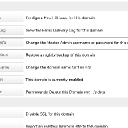
Here's my system install locally thats all working: (screenshot).

Also make sure you've set up a domain name in your /etc/hosts file. Jamroom doesnt run well on an ipaddress or 'localhost'.
check.png check.png - 169KB
michael
@michael
04/20/22 07:33:46PM
7,823 posts

Still Unable To Update Modules


Installation and Configuration

Do a manual upgrade. Something about the server you're on isn't co-operating with the jamroom marketplace system the permissions idea would be the correct way to fix it, but since that doesn't work you can download the latest version from here:

https://www.jamroom.net/products

Click "Download Open Source". Then un-zip that and use SFTP to upload it to your server. Over-write any files on the server and you will be upgraded.

After that run the integrity check from ACP -> MODULES -> CORE -> SYSTEM CORE -> TOOLS -> INTEGRITY CHECK

Then you can look at the ACP -> MODULES -> CORE -> SYSTEM CORE -> TOOLS -> SYSTEM CHECK to see if there are any orange lights for things that are not working on your server.

It could be that your server does not have 'symlink' enabled. Or something else, I'm just guessing.
  34