Forum Activity for @michael

michael
@michael
05/07/15 02:32:23AM
7,832 posts

Update On Custom Metatags


Design and Skin Customization

You can add your own og: tags right now, just over-ride the file your interested in.

If its your module, then add:
/modules/( YOUR MODULE )jrShareThis_facebook_open_graph.tpl

If you want to over-ride, say the jrAudio module's version of that then in the skin
/skins/( YOUR SKIN )jrAudio_jrShareThis_facebook_open_graph.tpl

and alter away.

michael
@michael
05/07/15 02:22:45AM
7,832 posts

OneAll login error


Using Jamroom

l o l. Wasn't meant like that, just going one step at a time :)
michael
@michael
05/07/15 02:21:29AM
7,832 posts

ProJam Help


Using Jamroom

In the developer tools from a couple of versions back is the ability to turn on what templates things come from.

Go to:
ACP -> TOOLS -> DEVELOPER TOOLS -> GLOBAL CONFIG -> template name in source

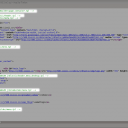
Turn that on, then look at the page source, you will see:
screenshot_filename_in_source.png screenshot_filename_in_source.png - 123KB

updated by @michael: 05/07/15 02:21:45AM
michael
@michael
05/07/15 02:18:03AM
7,832 posts

module template generate a data csv file


Design and Skin Customization

If you made it as a .zip file that would download. If you uploaded it with jrFile that would allow downloads of it.

The problem might occur when its a file that the webserver/browser knows what to do with. If it was a .txt file it might open in the browser instead of downloading.

The way to force it to download is to set the headers in php then deliver the file. If your not looking to build a module, then check out jrFile to see if that can do what your after.
michael
@michael
05/06/15 11:48:52PM
7,832 posts

JrElastic disappear after upgrading jrslate


Using Jamroom

Which skin are you referring to that's not there? jrSlate? jrElastic?
michael
@michael
05/06/15 11:45:51PM
7,832 posts

Updating without marketplace


Installation and Configuration

When you update via the marketplace the new version is put in a directory with its version number:
jrCore-version-5.2.33

when the new version comes out it will be put at
jrCore-version-5.2.34

The base url of:
/jrCore

is just a symlink that links to the most recent version.

When you download from the marketplace it wont have the version, so delete the symlink that is on your server and upload the module to there.

I suggest deleting the symlink first because depending on the FTP system you use, the contents MIGHT be put into the location that the symlink links too rather than over-writing the symlink with the folder.
michael
@michael
05/06/15 11:10:19PM
7,832 posts

YouTube Embed No Longer Working Properly


Design and Skin Customization

I am. Trying to fix it now. The not-fun thing is that to get the same data you have to register for the google API. More steps where to do to get setup.
michael
@michael
05/06/15 03:01:54AM
7,832 posts

Odd FORUM view behavior


Using Jamroom

The issue is the way {jrProfile_disable_sidebar} is working. I can see it happening, but haven't found a fix for it yet.
michael
@michael
05/06/15 12:12:08AM
7,832 posts

Odd FORUM view behavior


Using Jamroom

For some reason, after a refresh, your col12 shrinks to a col9.

I'll go see what mine's doing.
michael
@michael
05/05/15 05:50:09PM
7,832 posts

Image quality is fuzzy in a blog post


Using Jamroom

The chosen resolution is a bit low, open up the editor where the image is and edit the source code, (that double greaterthan/lessthan button), and look for this:

http://fotmd.com/upimg/image/upimg_file/34/320

Change it to this
http://fotmd.com/upimg/image/upimg_file/33/xxlarge

To use a biggger image.

Valid image sizes are:
Quote: image size - must be one of: 24,xxsmall,40,xsmall,56,72,small,96,icon96,128,icon,196,medium,256,large,320,larger,384,xlarge,512,xxlarge,800,xxxlarge,1280

--edit--
That image size is set when you upload the image in the dropdown box, you could always re-upload it again but select a larger image size when you upload. That would do the same thing.

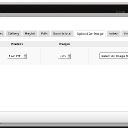
here is a screenshot of where it was set when the image was uploaded:
screenshot_set_image_size.jpg screenshot_set_image_size.jpg - 77KB

updated by @michael: 05/05/15 05:53:38PM
  547