Change Base Color On Solo Artist Skin
Design and Skin Customization
An easy way is to clone the skin first, then work on the clone. That way you have something to revert to if anything goes wrong.
ACP -> TOOLS -> DEVELOPER TOOLS -> CLONE SKIN.
Call it something like:
xxSomeName
you need to put the
xxSomeName before the name you choose so there is a developer prefix. since its not for sale, xx is a good choice for prefix.
Then switch to your new skin and make any alterations. You can go back to jrSolo if there are issues.

Which color do you want to change it to?
--
What I think the steps your after are:
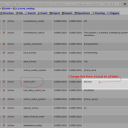
* in the "selector search" on the STYLE tab, type #header
You will arrive at this page:
YOUR-SITE.COM/core/skin_admin/style/skin=jrSoloArtist/file=core_admin_log.css/section=search/search_string=%23header
Change the 2 red colors on that page to the colors your after. the top one is the background color of the header, the second one is the link color of the menu links when they are hovered over by the mouse.