

setting additional admins confusion
Installation and Configuration
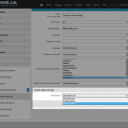
Promoting an account to admin should be as easy as going to that account as an admin user. Click on their image to get to their PROFILE account settings page. then change to the ACCOUNT tab (to adjust the user).
under "master admin options" there is "User Group". Change that from STANDARD USER to MASTER ADMIN and it that user is an admin.
updated by @michael: 12/29/14 09:23:54AM


