Forum Activity for @michael

michael
@michael
11/26/13 02:54:06AM
7,832 posts

CSS Override


Design and Skin Customization

You don't need to use !important (or shouldn't have to except as a last resort.).

My guess is that the caches need to be cleared:
yoursite.com/core/cache_reset

If it absolutely wont change and you are talking about a module provided template (because you should have total control over your skins templates) then one option is to duplicate that modules annoying file in your skin and give it another class.

ie:
/modules/jrAudio/item_details.tpl

override it by copying it to:
/skins/xxYourSkin/jrAudio_item_details.tpl

and then its yours. Your skin version will trump the module version. (this seams a bit excessive for just a css over-ride though, check the CSS is actually coming out in the code.)
michael
@michael
11/26/13 02:48:07AM
7,832 posts

Payment Question


Using Jamroom

screenshot
screenshot_service.png screenshot_service.png - 98KB

updated by @michael: 11/26/13 02:48:24AM
michael
@michael
11/26/13 02:47:41AM
7,832 posts

Payment Question


Using Jamroom

Its the service module you want. Make a site like fiverr.com

* someone buys a service,
* you do the service,
* deliver the service
* mark that order as closed.

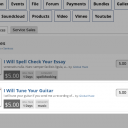
Here's a screenshot. We're going to put that up on jamroom.net too for users to offer JR related services sometime in the near future.
screenshot_open_services.png screenshot_open_services.png - 372KB

updated by @michael: 11/26/13 02:47:58AM
michael
@michael
11/26/13 02:05:22AM
7,832 posts

Payment Question


Using Jamroom

sounds like your wanting to sell a service. I think that module already exists.

* "Buy a 1 Line webpage for $1"
* "Buy a 2 Line webpage for $2"
* "Buy a 3 Line webpage for $3"

3 services get listed on your profile. Is that right?
updated by @michael: 05/28/14 10:17:28PM
michael
@michael
11/25/13 11:02:12PM
7,832 posts

MOD: Audio Support - Song Download Checkbox


Using Jamroom

Its not a core style feature, but its real easy to add.

Check out this video:
"Using the Form Designer tool"
Using the Form Designer tool

Then add a checkbox to the audio forms.
Then add a surround to the download locations.
{if $item.audio_downloadable == 'on'}
//show the download url.
{/if}
michael
@michael
11/25/13 10:57:00PM
7,832 posts

Best Code Editor


Off Topic

it will just keep getting better and better the more you use it.

After you think your getting pretty good with it, check out:
HELP -> PRODUCTIVITY GUIDE

To see all the features that your not yet using. :)
michael
@michael
11/25/13 07:32:29PM
7,832 posts

Use disqus on blog posts


Using Jamroom

It shows up here:
http://exposehits.com/exposehits/blog/1/jakepapa

If that page is not an item_details.tpl page, but rather is something you've created yourself, you will need to outline how you created it in order to get a satisfactory answer.

Does that page contain this code?
        {* bring in module features *}
        {jrCore_item_detail_features module="jrBlog" item=$item}
michael
@michael
11/25/13 07:15:57PM
7,832 posts

Use disqus on blog posts


Using Jamroom

Make sure it is enabled for the quota.

Check out the video here of me installing jrDisqus:
https://www.jamroom.net/the-jamroom-network/documentation/development/1348/jrdisqus
michael
@michael
11/25/13 05:13:26PM
7,832 posts

Video Genre Field


Using Jamroom

pch:...Right now in JR5 it is impossible to have the text "audio" as a standard (default) word in all URLs regarding audio files...
Not true. Look at the routing guide:
https://www.jamroom.net//download/doc_file/236

from:
"To Developers: how it works in a nutshell"
https://www.jamroom.net/the-jamroom-network/documentation/in-a-nutshell/231/to-developers-how-it-works-in-a-nutshellto-developers-how-it-works-in-a-nutshell


/audio/ is the url for the jrAudio module.

There should be a way in there for the skin to over-ride the module.

First one I would try would be:
override_jrAudio_index.tpl

If that didn't work I would try the other override locations.

--edit--
The correct template over-ride of url
yoursite.com/audio
is
* add a jrAudio_index.tpl file to your skin.
updated by @michael: 11/25/13 05:21:09PM
michael
@michael
11/25/13 04:57:56PM
7,832 posts

A more Generic JR5


Using Jamroom

smith.kyle:
In the info tab for the module - you can change the text that shows in the URL.
Hey kyle, I think @pch understands how to change the module URL's but his issue is that the projam5 skin contains a template called music.tpl which causes the url to be:
http://demo.jamroomnetwork.com/music

Seams to me that not all skins need to be generic. Some skins can be setup for a specific purpose and I don't see that as a detriment.

jrElastic is a very generic skin.
jrProjam is a skin for running a band website.

@pch needs a more complex skin more suited to the type of site he wants to run. (im not sure what that is).

Perhaps someone will build one.

changing projam's music.tpl to another name would take a bit of fiddling.
* First, copy music.tpl to another name, perhaps "lectures.tpl"?
* second, change the link in the menu to point to /lectures instead of /music
* third, look for locations that point to /music and point them to /lectures
  763