JAMROOM

Starting a Site Builder Session
Applies to: Jamroom 7.0+
Last verified: 2026-10-24
-
Turning Site Builder on
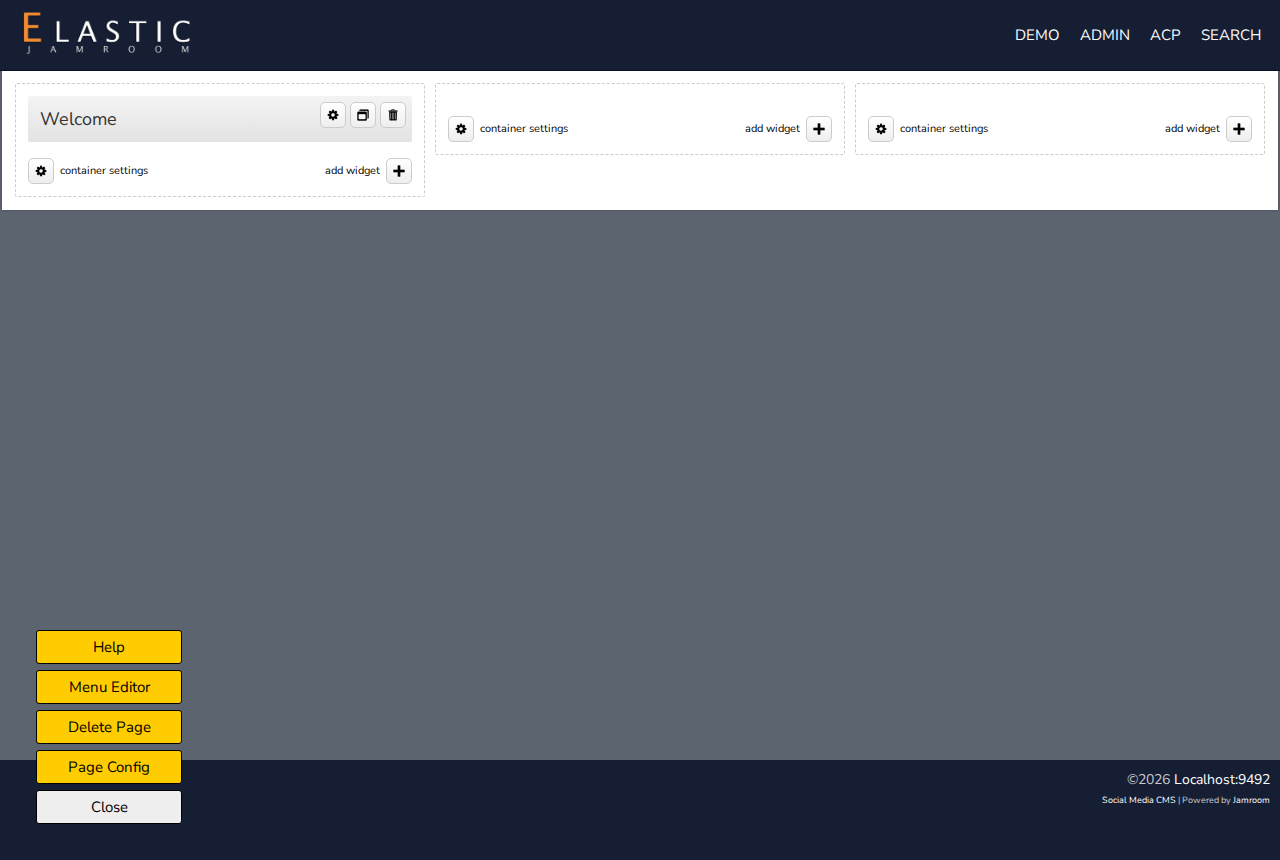
When you're logged in as a master admin, site pages that Site Builder can edit show a yellow Site Builder button at the bottom left. Click it to start editing the page.
The button can be hidden with Show Site Builder Button in the Site Builder module's Global Config.
-
The Site Builder buttons
While you edit, these buttons are at the bottom left:
Button What it does Help Opens this documentation Menu Editor Edits the site's main menu. See Menu Editor. Delete Page Deletes this Site Builder page. See Deleting an Existing Page. Page Config Changes the page's rows and columns, and its settings. See Modifying the Page Layout. Close Ends editing. After you've made changes it reads View Changes: click it to see the page as visitors will. -
Editing the page
While Site Builder is on, each container shows container settings and add widget, and each widget shows three buttons:
- the gear changes the widget
- the clone button makes a copy of it
- the trash can deletes it
Drag a widget by its title to move it.
-