JAMROOM

Changing Page Settings
Applies to: Jamroom 7.0+
Last verified: 2026-10-24
-
Page settings
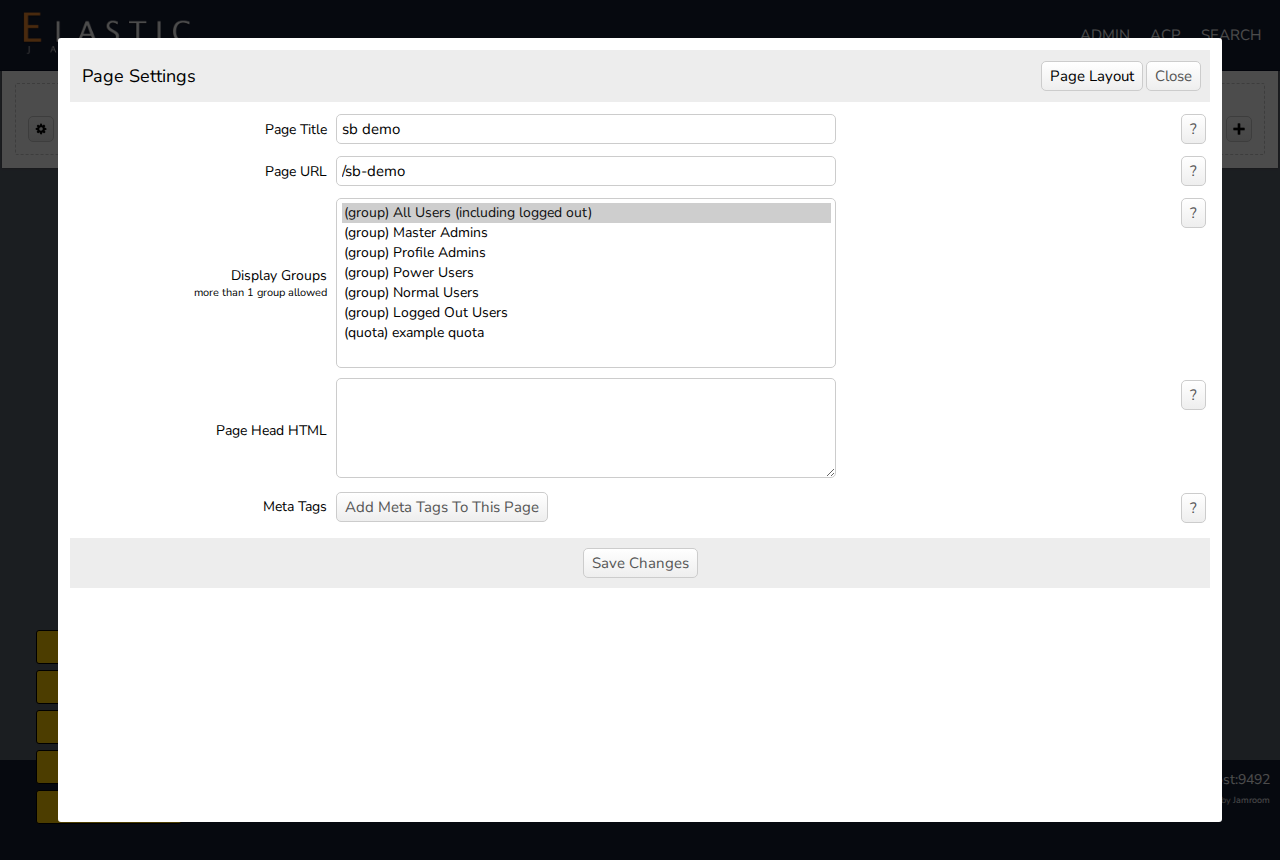
Open Page Config, then click Page Settings at the top of the dialog.
Setting What it does Page Title The page's title, shown in the browser tab and in search results Page URL The page's address. If you change it, update any menu entry that links to the old address. Display Groups Who can see the page: everyone (the default), logged-in or logged-out users, admins, or chosen quotas. Ctrl+click to choose several. Page Head HTML HTML added to the page's <head>, such as a script or style for this page onlyMeta Tags Add Meta Tags To This Page adds meta tags, such as a description, for this page Click Save Changes.
-