Forum Activity for @brian

brian
@brian
11/29/16 01:51:16PM
10,149 posts

Create An Event


Using Jamroom

jffgldr:
I'm running iSkin...the new one that was updated / renamed iSkin4 to iSkin yesterday. Thanks, Brian

That's working here for me - try resetting your cache (ACP -> Core -> Tools -> Reset Caches). When you make changes like this you'll usually need to reset caches so the templates are rebuilt with the new features in it.

Let me know if that helps.
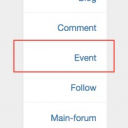
Voila_Capture 2016-11-29_01-50-05_PM.jpg Voila_Capture 2016-11-29_01-50-05_PM.jpg - 19KB
brian
@brian
11/29/16 01:47:20PM
10,149 posts

Create An Event


Using Jamroom

jffgldr:
The Event Calendar Module is added. Activated in appropriate quotas. Do not see an "Add Event" option. B

Not seeing any issues with it here. What skin are you using so I can test under the same skin?

Thanks!
brian
@brian
11/29/16 01:46:51PM
10,149 posts

How to use simple chat


Using Jamroom

Roy Simmons:
Thanks Brian, I think many of our members will enjoy this, I will let you know any comments and feedback. Thanks for all your hard work.

Awesome - thanks Roy!
brian
@brian
11/29/16 01:46:04PM
10,149 posts

Jamroom updates - to overwrite own things


Using Jamroom

You're doing that wrong - you should never make any changes to the PHP scripts. This can all be done in the item_detail.tpl file and a custom form field.

So it looks like you already created the custom form field - so you're fine there.

What you need to do is create a template OVERRIDE - create this file:

jrAudio_item_detail.tpl

in your CUSTOM skin directory. Now Jamroom will use THIS file instead of the jrAudio/templates/item_detail.tpl file.

INSIDE that file change this:
{jrCore_item_detail_buttons module="jrAudio" field="audio_file" item=$item}

to this:
{if $item.audio_dl == 'on'}
{jrCore_item_detail_buttons module="jrAudio" field="audio_file" item=$item}
{else}
{jrCore_item_detail_buttons module="jrAudio" field="audio_file" item=$item exclude="jrAudio_item_download_button"}
{/if}

So if $audio_dl is NOT ON we exclude the item download button.

This way you can upgrade the Audio module and never worry about your changes being overwritten.

Let me know if that helps.
brian
@brian
11/29/16 01:40:34PM
10,149 posts

How to use simple chat


Using Jamroom

Glad to hear that - hope you like it :)
brian
@brian
11/29/16 01:38:28PM
10,149 posts

Jamroom updates - to overwrite own things


Using Jamroom

OK got it - sorry I misunderstood you :)

Then you are doing it correctly by customizing the template - is the problem that when you upgrade you are losing your changes?

Thanks!
brian
@brian
11/29/16 01:33:34PM
10,149 posts

Create An Event


Using Jamroom

jffgldr:
I'm missing something. How do I create an event? Not seeing "Create an Event" on my profile or event calendar. What did I miss?
Thanks!

Have you installed the Event Calendar module?

https://www.jamroom.net/the-jamroom-network/networkmarket/61/event-calendar

If so, go to ACP -> Profiles -> Event Calendar and make sure it has been enabled in the Quotas you want it enabled in (in the Quota Config tab).

Let me know if that helps.
brian
@brian
11/29/16 01:26:52PM
10,149 posts

How to use simple chat


Using Jamroom

Roy Simmons:
Thanks Brian, done that but still not seeing the chat tab.

I am logged in to your site right now and have turned it on for the "admin-enhance" quota - it was NOT turned on for that quota, so check that you didn't turn it on for another quota.

I see the chat tab now - let me know if you see it.

Thanks!
brian
@brian
11/29/16 01:23:43PM
10,149 posts

Jamroom updates - to overwrite own things


Using Jamroom

Bandwerkstatt:
the download button, this is the problem :) it must be off.

Then turn it off :) You see that button on the far right that looks like a mixer? Click It and set the download button to ADMIN ONLY.

Bandwerkstatt:
we handle at the moment, with all new jamroom/module update it delete

That is a custom field - audio_dl is NOT part of the audio module, so you can create/delete it as needed.

You don't need to do any of the stuff you are doing in the module - you can already choose who CAN download and who CANNOT download - just do like I pointed out above.

Let me know if that helps.
brian
@brian
11/29/16 01:18:07PM
10,149 posts

How to use simple chat


Using Jamroom

Roy Simmons:
We are now on JR6, and I have installed and enabled simple chat but cannot see any options to use it. Cannot find any documentation either, any help appreciated.

It's pretty much "automatic" :)

Go into your ACP -> Communication -> Simple Chat and make sure in the "Quota Config" tab you have it set to just your admin quota (for now, for testing).

Save the changes then reset caches.

You'll see a new "chat" tab in the lower right of your screen - click it and the chat pane will slide out from the right side.

In the chat header:

- click your image to change personal settings
- click the DOWN ARROW icon to the right of the chat room title to create or delete chats
- click the users icon on the right to see who is in the current chat room with you.

Play around with it a bit and I think you'll get the hang of it really quickly.

Let me know if that helps.

Thanks!
  201
