SSO Jamroom integration with Ghost
Jamroom Developers
Clay Gordon:Brian – I am slowly refamiliarizing myself with Global and Quota config options.
Say, for the Image Galleries module I deselect “Allowed on Profile." This would allow members of the quota to SEE galleries already published by clicking on the Images button in the top nav but would not allow them to upload.
There is also a media upload module so I could turn off uploading, but I want people to upload images into Forums posts.
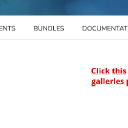
Sorry for the late follow up here. Unfortunately no - the "allowed on profile" basically turns that module on/off for profiles in that quota - any existing galleries would be unviewable. What's really needed here is just a way to prevent NEW items from being created - to do that, go to the Galleries page for a profile - i.e. the main profile gallery page for that profile (not an individual gallery) - and you'll see the "+" button for creating a NEW gallery. Click the "configure these buttons..." button (see my screenshot), and modify it so it can only be used by master admins.
That will prevent new ones from being created but still allow the existing ones to be viewed. This works the same for all module indexes on a profile.
Let me know if that helps.